
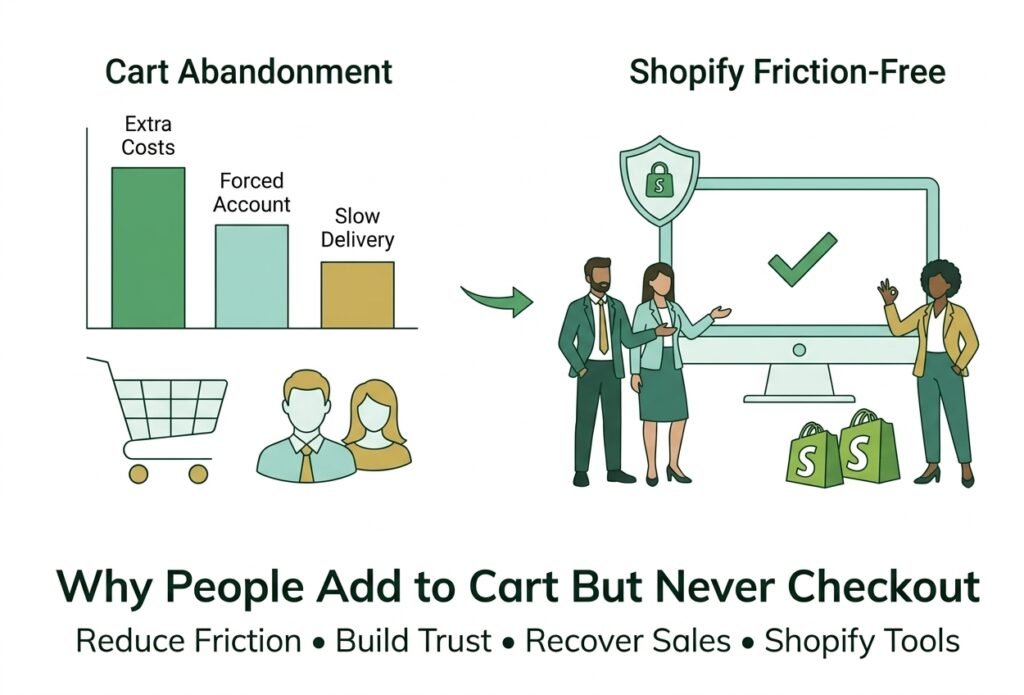
Why People Add to Cart But Never Checkout (And Shopify cart abandonment)
Adding a product to the cart is one of the strongest buying signals a visitor can give. They found something they liked, picked a size or color, and committed to the next click. Then they leave. If you run a Shopify store, abandoned carts can feel like money slipping through your fingers.
Some of it is normal. Bayard Institute, which tracks checkout research, puts the average documented cart abandonment rate at about 70%, based on an average of 50 studies. And in its survey of US shoppers, the most common reason for abandoning a cart was simply not being ready to buy. The rest is fixable. This guide covers the reasons shoppers most often give, how to fix each one on your store, and how to win back the carts you have already lost.
What Shoppers Say About Why They Abandon Carts
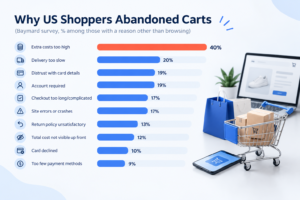
In Bayard’s latest quantitative survey of US online shoppers, 42% said they were just browsing or not ready to buy. Among the other reasons shoppers gave, these stood out:
- Extra costs such as shipping, tax, and fees were too high: 40%
- Delivery was too slow: 20%
- Distrust of the site with credit card details: 19%
- An account was required: 18%
- Checkout was too long or complicated: 17%
- Errors or crashes on the website: 17%
- The return policy was unsatisfactory: 13%
- The total cost could not be seen up front: 12%
Notice how many of these are about surprises, doubt, and effort. Those are things you control. The seven reasons below turn that list into a plan.
7 Reasons Shoppers Add to Cart but Never Checkout
1. Surprise Costs Appear Too Late
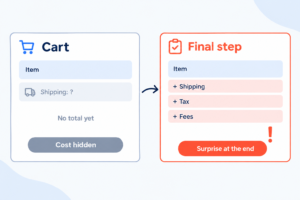
Extra costs were the largest fixable reason in Bayard’s survey. When shipping, tax, or fees only show up on the last step, the price feels higher than the one on the product page, and shoppers leave.
The fix: show shipping information early, ideally on the product page and in the cart. Bayard recommends displaying the full order cost in the cart, or a clear estimate with an explanation when the exact total is not known yet. If you offer free shipping above a threshold, show how close the shopper is.
2. You Force Shoppers to Create an Account
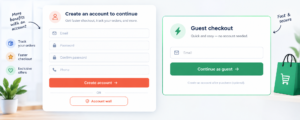
Many people buy once and never come back. Asking them to set a password before paying adds work at the worst possible moment.
The fix: offer guest checkout and make it the most visible option. Bayard suggests delaying account creation until after the purchase. Review your customer account and checkout settings in Shopify so accounts are optional.
3. The Checkout Form Feels Long or Confusing

Long forms, repeated fields, and unclear labels make checkout feel like homework, especially on a phone. Bayard notes that reducing perceived complexity matters more than simply cutting the number of steps.
The fix: ask only for what you need, hide fields that do not apply, and make sure autofill and address suggestions work. Test every field on a real phone.
4. Shoppers Do Not Trust the Payment Step
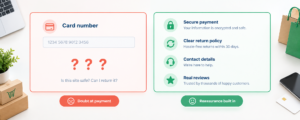
Typing card details into a store you have never heard of is a leap of faith. About one in five shoppers in Bayard’s survey cited distrust with card information, and 13% were unhappy with the return policy.
The fix: make returns and contact details easy to find, keep the design consistent with the rest of your brand, show real reviews, and use familiar payment options. Never invent badges or testimonials; false trust signals backfire.
5. Delivery Is Slow or Unclear
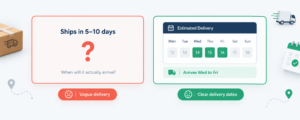
Delivery speed ranked among the top reasons in the survey. Vague promises like “ships in 5 to 10 days” leave shoppers guessing.
The fix: show shipping speeds and costs early and keep them visible through checkout. Bayard suggests an estimated delivery date rather than only a speed label. If delivery is slow, be honest about it and explain why.
6. Payment Options Are Limited
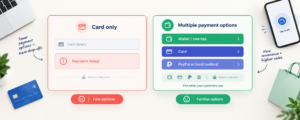
A card-only checkout can lose shoppers who prefer wallets, PayPal, or local methods. Failed payments with unhelpful error messages make it worse.
The fix: offer the payment methods your customers actually use in your market. Shopify’s one-tap accelerated checkout, Shop Pay, reuses saved details so returning shoppers skip typing. Shopify publishes its own conversion figures for it, so treat those as vendor claims and measure results in your own store.
7. Errors, Slow Pages, and Mobile Friction

Site errors or crashes were cited by 17% of shoppers in the survey. Broken discount codes, buttons that do not respond, and layouts that jump on small screens all stop purchases.
The fix: place test orders on a phone and a desktop in different browsers, including a discount code and each shipping option, and fix anything that stalls or confuses you.
How to Recover Carts That Were Already Abandoned
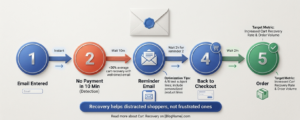
Fixing friction prevents future losses, but you can also follow up on past ones. According to Shopify’s Help Center, a checkout counts as abandoned when a shopper has entered their email but has not paid within ten minutes. You can find these in your admin under Orders, then Abandoned checkouts.
- Open Orders and select abandoned checkouts to see whom left, and read each timeline to spot payment failures.
- Go to Apps, Messaging, and Automations and open the abandoned checkout email automation.
- Turn on automatic sending, then choose who receives it and how long to wait before sending.
- Customize the template so it matches your brand and links back to the checkout.
- Review the results after a few weeks and adjust the timing or wording.
A few limits are worth knowing. Recovery emails apply to the Online Store and Buy Button channels, and Shopify deletes abandoned checkouts after three months. Shopify’s page does not cover marketing consent, so check the email rules for the countries you sell to. Bayard also cautions that follow-up emails mostly help shoppers who were distracted, not those who were frustrated, so do not rely on them to hide checkout problems
A 30-Minute Checkout Audit
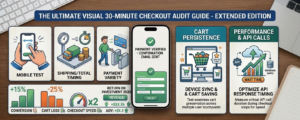
- Place a test order on your phone. Count the fields and note every moment you hesitate.
- Note when shipping and the total appear. If it is the last step, move that information earlier.
- Check guest checkout. Make sure no account is required.
- Review payment methods. Compare them with what shoppers in your market expect.
- Read abandoned checkout timelines. Look for repeated payment failures or errors.
Mistakes to Avoid
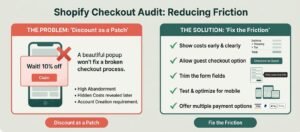
- Using discounts to patch friction. Bayard warns that exit-intent popups and discounts do not fix the underlying problems.
- Hiding costs until the last step. It is the fastest way to lose a ready-to-buy shopper.
- Adding offers in the middle of checkout. Keep promotions secondary and the path to payment clear.
- Judging by the abandonment rate alone. It includes people who were only browsing.
- Changing everything at once. Change a few things, then compare results.
Frequently Asked Questions
What is a normal cart abandonment rate?
Bayard reports an average of about 70% across 50 studies. Your own rate depends on your products, traffic, and prices, so track your trend rather than chasing a universal number.
Is a high abandonment rate always a problem?
Not always. Many shoppers use the cart to save items, compare prices, or check shipping costs. Focus on the fixable reasons, such as surprise costs, forced accounts, and errors.
Do abandoned cart emails work?
They can bring back shoppers, who were distracted, but results vary and nothing is guaranteed. They work best alongside a smoother checkout, not instead of one.
Should I offer a discount to recover abandoned carts?
Use caution. A discount does not fix confusing costs or errors, and it can teach customers to wait for a coupon. Try fixing friction first, and test any offer carefully.
Does Shopify show me who abandoned a cart?
Shopify lists abandoned checkouts in your admin once a shopper has entered contact details. A visitor who adds an item and leaves without entering anything will not appear there.
Conclusion
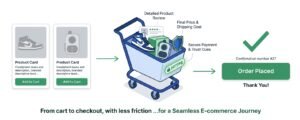
People add to cart and never checkout for understandable reasons: surprise costs, forced accounts, long forms, doubt, slow delivery, limited payment options, and technical friction. Many of them are fixable without redesigning your store. Start with a phone test order, remove the biggest point of friction, and then set up recovery emails for the carts you could not save.
Need Help Fixing Your Shopify Checkout Experience?
Shopiwise supports store owners with Shopify store setup and optimization, including payment gateway setup, shipping zones and delivery methods, legal pages such as refund policies, and speed and mobile optimization. You can also read how Shopify store development improves the shopping experience, explore Shopiwise.com, or contact the team to talk about your checkout.