
5 Checkout Problems That Cost You Sales (and How to Fix Them)
A shopper who adds a product to the cart has already shown real interest in your store. What happens next decides whether that interest becomes an order. Baymard Institute, which studies ecommerce usability, puts the average documented cart abandonment rate at roughly 70 percent. Some of that is unavoidable because many people are only browsing, but a good share comes from checkout problems you can fix.
In this guide, we cover five checkout problems that quietly cost online stores sales, why each one happens and what to do about it. Most of these checks are quick to run, and none of them require guesswork.
Problem 1: Costs That Appear Too Late
Nothing erodes trust faster than a price that changes at the last step. In Bayard’s research, extra costs such as shipping, taxes and fees were the most common reason shoppers gave for abandoning a checkout, cited by about 39 percent of respondents.
This often happens because shipping is only calculated after the customer enters an address, or because international buyers discover import taxes late. Shoppers who feel surprised rarely come back to finish.
How to fix it
- Show a shipping estimate or a free-shipping threshold on the product page or in the cart.
- State clearly whether your prices include tax.
- If you sell internationally, explain duties and import charges before payment, not after.
- Avoid vague fee names. Label every charge in plain language.
Problem 2: Forcing Customers to Create an Account
Most shoppers want to buy once and move on. Baymard found that about 19 percent of users abandoned a checkout because the site required them to create an account. Passwords, confirmation emails and extra steps add friction right when the shopper is ready to pay.
How to fix it
- Make accounts optional. In Shopify, customer accounts can be set as optional, required or disabled, so review this setting in your admin.
- Make sure the guest option is easy to see and is not hidden behind a small link.
- Invite customers to save their details after they pay, for example on the order confirmation page.
- Explain the benefit of an account in one short line, such as faster reordering and order tracking.
Problem 3: Long Forms and a Clumsy Mobile Experience
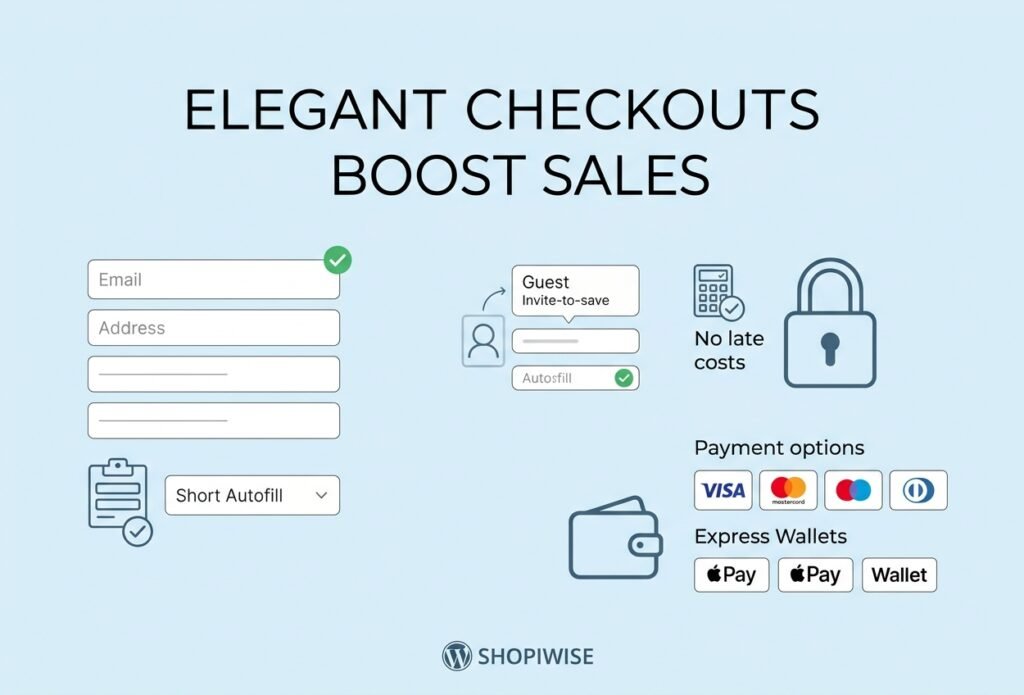
Every extra field is another chance to give up, and typing on a phone is harder than on a laptop. Baymard’s testing shows an ideal checkout can be as short as 12 to 14 form elements, so a form that asks for much more deserves a second look.
Common culprits include optional fields shown as if they were required, company name and second address lines for customers who do not need them, phone numbers requested without a reason, and error messages that only appear after the shopper presses the pay button.
How to fix it
- Remove or hide every field you do not truly need. Depending on your Shopify setup, some fields such as company name, address line 2 and phone number can be set to hidden or optional.
- Support address autofill and saved payment details through wallets where available.
- Test the whole flow on a real phone, checking button size, keyboard type and error messages.
- Use clear, specific error text, for example “Please enter a valid postal code” rather than “Invalid input.”
Problem 4: Few Payment Options and Weak Trust Signals
Shoppers like to pay their own way. If your store only accepts one method, anyone who prefers another may leave. Trust matters just as much: a customer entering card details wants proof that your store is real and safe.
How to fix it
- Offer major cards plus express wallets such as Shop Pay, Apple Pay and Google Pay where your payment setup supports them.
- Think about your main markets. In some regions, local payment methods or bank transfers matter, so check what your payment provider can enable.
- Make contact details, shipping information and your returns, refund and privacy policies easy to find.
- Keep security messaging honest and simple. A few genuine signals work better than a wall of unexplained badges.
Problem 5: Slow or Unclear Delivery and Returns Information
Shoppers want to know when an order will arrive and what happens if it does not fit. Baymard’s survey found that about 21 percent of shoppers abandoned a checkout because delivery was too slow. Even when you cannot ship quickly, being unclear can make things worse.
How to fix it
- Show an estimated delivery date range before payment, including your processing time.
- Offer more than one shipping speed if your carriers allow it.
- If products ship from overseas suppliers, say so. An honest long delivery window beats a disappointing surprise.
- Link your returns and refund policy near the checkout button in plain language.
How to Find Your Own Checkout Problems
The five problems above are common, but your store may have different ones. Use this simple routine to find them:
- Place test orders on desktop and phone, as a guest, and if you ship abroad, to at least one other country.
- Look at your Shopify analytics to see where shoppers drop off between visiting, adding to cart, reaching checkout and completing the order. Available reports vary by plan.
- Ask recent customers what almost stopped them from buying.
- Change one thing at a time so you can tell what made the difference.
- Repeat the check after every theme or app change.
| Problem | Why shoppers leave | Quick fix |
| Late costs | The total jumps at the last step | Show shipping and tax details early |
| Forced accounts | Extra steps before paying | Make accounts optional, invite sign-up after purchase |
| Long forms | Too much typing, especially on mobile | Remove unneeded fields and test on a phone |
| Payments and trust | Preferred method missing or store feels risky | Add wallets and show clear policies |
| Delivery and returns | Unclear timing or rules | Show a date range and link your returns policy |
Frequently Asked Questions
Why do customers leave at checkout?
The most common reasons include unexpected costs, forced account creation, slow delivery and a long or confusing process. Some shoppers are only browsing, so a certain amount of abandonment is normal.
What is a good checkout conversion rate?
There is no single figure that fits every store. Results depend on your industry, price point, traffic source and country, so compare your own numbers over time rather than chasing a universal target.
Can I customize my Shopify checkout?
Shopify manages much of the checkout layout, so focus on the settings you control, such as shipping rates, payment methods, account options and policies. The level of customization available depends on your plan, so check Shopify’s documentation.
Should I require customers to create an account?
For most stores, making accounts optional is the safer choice, with a gentle invitation to create one after the purchase.
How often should I test my checkout?
Place a test order monthly and after any change to your theme, apps, shipping rates or payment settings.
Conclusion
Checkout problems are frustrating because shoppers have already decided they like your product. The good news is that costs, accounts, forms, payments and delivery details are all things you can review and improve. Start with the issue you think is most likely to affect your store, test the change, then move to the next.
If you would like expert help, Shopiwise offers Shopify store setup, optimization and sales growth support. Explore our Shopify services, read how Shopify store development can improve the online shopping experience, see our digital marketing services for bringing more of the right visitors to your store, or contact our team to talk about your checkout. You can also visit Shopiwise.com to see everything we offer.