
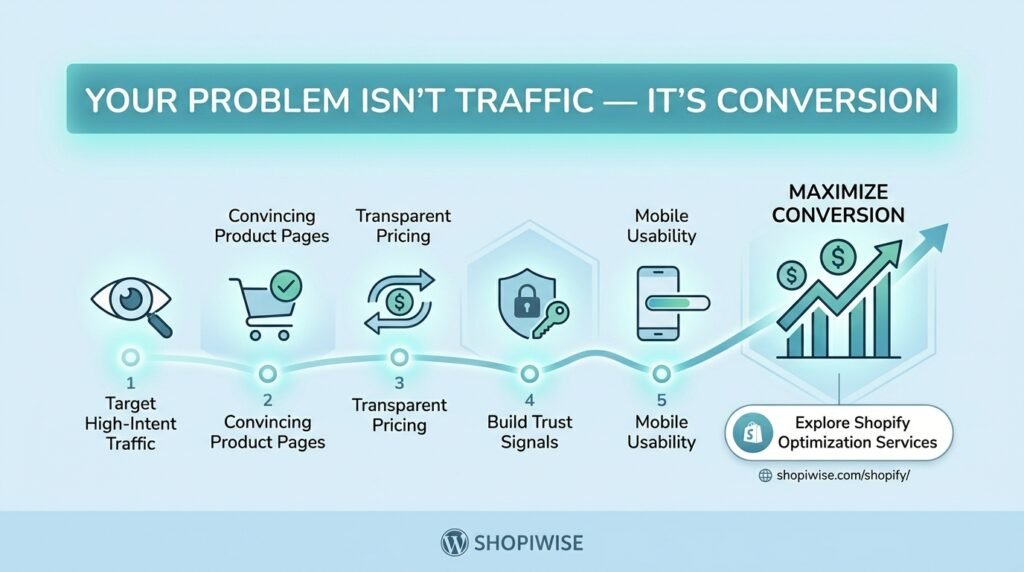
Your Problem Isn’t Traffic — It’s Conversion
When a Shopify store is not making enough sales, the first instinct is often to look for more visitors. Store owners may increase their ad budget, post more frequently on social media, or chase new SEO keywords. But if people are already visiting and leaving without buying, more traffic may simply send more potential customers into a store that is not ready to convert them.
The real question is not only “How do I get more visitors?” It is “What are visitors doing after they arrive, and what is stopping them from taking the next step?” A conversion-focused approach helps you answer that question with evidence rather than guesswork.
This does not mean traffic is never the problem. A store needs relevant visitors as well as a convincing buying experience. The goal is to identify the biggest constraint first—traffic quality, product interest, trust, price clarity, usability, or checkout—and fix it in the right order.
First, Check Whether Traffic or Conversion Is the Problem
Start by defining what a successful visit means for your store. For most ecommerce businesses, the main conversion is a completed purchase, but intermediate actions—product views, add-to-cart events, and checkout starts—help reveal where the journey breaks down.
Shopify Analytics includes conversion-related metrics and a conversion rate breakdown. Google Analytics can also track ecommerce events such as viewing a product, adding it to a cart, beginning checkout, and purchasing. The exact reports available depend on your configuration and tracking setup.
Review the journey in order:
- Sessions: Are enough people arriving, and are they from relevant sources and markets?
- Product views: Do visitors reach products that match the promise of the ad, search result, or social post they clicked?
- Add to cart: Are product pages convincing enough for visitors to show buying intent?
- Checkout started: Are shoppers willing to move from the cart to the payment process?
- Purchases: Are shoppers completing checkout, or dropping out before the order is confirmed?
If visitors arrive but do not view products, investigate navigation, landing-page relevance, and traffic quality. If product views are healthy but add-to-cart activity is weak, review the product offer and page. If many shoppers add items but few finish checkout, investigate costs, delivery information, payment options, and checkout usability.
1. Attracting the Wrong Visitors
Traffic is only useful when it has a reasonable chance of becoming a customer. A broad ad, an unclear social post, or a search snippet that promises something the landing page does not deliver may attract clicks without attracting likely buyers.
What to do:
- Compare conversion behavior by channel, campaign, landing page, device, and country where analytics data is reliable.
- Make sure ad copy and search snippets accurately reflect the product, price range, and offer on the landing page.
- Avoid judging a campaign on clicks alone; consider product engagement, add-to-cart activity, orders, and acquisition cost.
- Check whether shipping coverage, delivery times, currency, and payment options fit the markets you target.
Example: If an ad promotes a specific running backpack, send visitors to that product or a closely relevant collection—not to a generic homepage where they must search for it.
2. Product Pages That Do Not Answer Buying Questions
A product page needs to do more than display a name and price. Shoppers may need to understand dimensions, materials, compatibility, fit, included accessories, delivery estimates, returns, and how the product solves their problem. If these details are missing or hard to find, visitors may hesitate or leave to compare alternatives.
Improve product pages by:
- Writing a clear title and opening description that explain what the product is and who it is for.
- Using accurate, high-quality images from useful angles and showing scale or context when relevant.
- Listing specifications, sizing, materials, care instructions, or compatibility information that affects the purchase.
- Making price, variants, stock status, and the Add to Cart action easy to find.
- Answering common objections near the decision point, including shipping and returns information.
- Using genuine reviews and customer photos only when they are authentic and permitted.
Do not add content simply to make a page longer. Include information that helps a real customer decide whether the product is right for them.
3. Unclear Pricing, Shipping, or Value
A shopper may like a product but reconsider when the total cost is unclear. Unexpected delivery charges, vague arrival estimates, confusing discounts, or unclear return terms can undermine confidence. A low product price does not automatically create a compelling offer if the overall buying experience feels risky or expensive.
Make the full offer easier to understand:
- State product prices and variant differences clearly.
- Explain shipping charges, delivery windows, taxes, and duties as clearly as your store and target markets allow.
- Make return, refund, and warranty policies easy to find and consistent with what you can actually provide.
- Explain the product’s benefits and differentiators without exaggerated or unverifiable claims.
- Review discount codes and promotional banners to ensure the terms are clear and the offers work.
4. Trust Signals Are Missing or Unconvincing
First-time visitors may not know your brand. They need enough accurate information to feel comfortable placing an order. A polished logo alone is not proof that a store is dependable.
Help shoppers assess your business by providing clear contact information, transparent policies, consistent branding, secure checkout, realistic delivery expectations, and useful product details. Display genuine customer feedback when you have it. Never invent testimonials, fake review counts, false scarcity, or certifications your business does not hold.
Trust is especially important when the product is unfamiliar, expensive, personalized, or difficult to return. Address the questions customers are likely to ask before they have to contact support.
5. Mobile Experience or Checkout Friction
A page can look good on a desktop but be awkward on a phone. Small controls, slow-loading media, intrusive pop-ups, unclear variant selectors, and forms that are difficult to complete can interrupt a purchase. Checkout issues can be especially costly because shoppers have already shown intent.
Test the full journey on mobile and desktop:
- Open a product page, select each variant, add the item to the cart, and proceed through checkout.
- Check that buttons are easy to tap, text is readable, and overlays do not cover important controls.
- Verify payment methods, shipping rates, discount codes, tax settings, and order confirmation.
- Check whether checkout asks for information that is unnecessary for fulfilment.
- Use a test order or the platform’s available testing tools so you do not assume the flow works simply because the page loads.
Make one meaningful change at a time where possible, then monitor the relevant funnel step. Otherwise, it can be difficult to tell which change affected the result.
A Practical Conversion Audit You Can Run This Week
Use this simple process before increasing your marketing spend:
- Choose a clear time period and compare it with a relevant previous period, accounting for seasonality, promotions, and traffic mix.
- Check that analytics tracking is working and purchases, add-to-cart actions, and checkout events are recorded consistently.
- Find the funnel step with the most concerning drop-off, then segment by device, channel, landing page, product, or market to look for patterns.
- Review the relevant page as a customer and note unclear information, slow elements, broken controls, or missing reassurance.
- Choose one high-priority hypothesis—for example, “Visitors are not adding this product to cart because key sizing details are hard to find.”
- Make a focused change and track the metric most directly connected to it. Keep an eye on revenue and customer experience as well as the headline conversion rate.
- Document what changed and what you learned. Do not treat a short period or a small sample as conclusive proof.
There is no single conversion rate that is ideal for every store. Product price, category, traffic source, country, purchase frequency, and customer intent all affect results. Compare your own performance over time and use external benchmarks cautiously.
Common Conversion Mistakes to Avoid
- Buying more traffic before checking whether existing visitors are relevant and the store journey works.
- Changing the theme, price, offer, and ad targeting at the same time, making results difficult to interpret.
- Copying a competitor’s design without understanding your own customers.
- Assuming a high bounce rate or a low conversion rate has one universal cause.
- Using fake reviews, misleading discounts, or unsupported product claims to create urgency.
- Optimizing only for orders while ignoring margins, returns, and customer satisfaction.
Frequently Asked Questions
Why is my Shopify store getting traffic but no sales?
Possible causes include low-intent traffic, an unclear offer, weak product information, price or shipping concerns, missing trust signals, mobile usability issues, or checkout friction. Review the funnel to identify where visitors stop progressing.
How do I know if traffic or conversion is the problem?
Check traffic volume and quality alongside product views, add-to-cart activity, checkout starts, and completed orders. If relevant visitors are arriving but consistently dropping at a particular step, investigate that step before increasing traffic.
What should I fix first to improve conversions?
Start with issues that block or discourage purchases: broken buttons, inaccurate product details, unclear total costs, missing delivery information, or checkout errors. Prioritize based on evidence from analytics and customer feedback.
Should I stop running ads if my store is not converting?
Not automatically. Review campaign relevance, landing pages, spend, and the store funnel. If tracking is reliable and the offer or checkout has a clear problem, fix that before scaling spend. Keep tests within a budget you can afford.
How long does conversion optimization take?
There is no universal timeline. Results depend on traffic volume, the size of the change, seasonality, and tracking quality. Allow enough time and data to assess a change, and avoid drawing strong conclusions from a handful of visits.
Conclusion: Fix the Leak Before Turning Up the Tap
More visitors can help a store grow, but traffic alone cannot solve an unclear offer or a frustrating buying journey. Start by measuring how people move from landing page to product, cart, checkout, and purchase. Then improve the specific point where customers are getting stuck.
Clear product information, honest pricing, visible trust details, a usable mobile experience, and a reliable checkout give relevant visitors a better chance to become customers. Use your data to prioritize changes, test carefully, and keep learning rather than assuming one redesign will solve everything.
If you need help reviewing your Shopify theme, product listings, store structure, or SEO, explore Shopiwise Shopify setup and optimization services. Visit Shopiwise.com to learn more about our ecommerce services.