
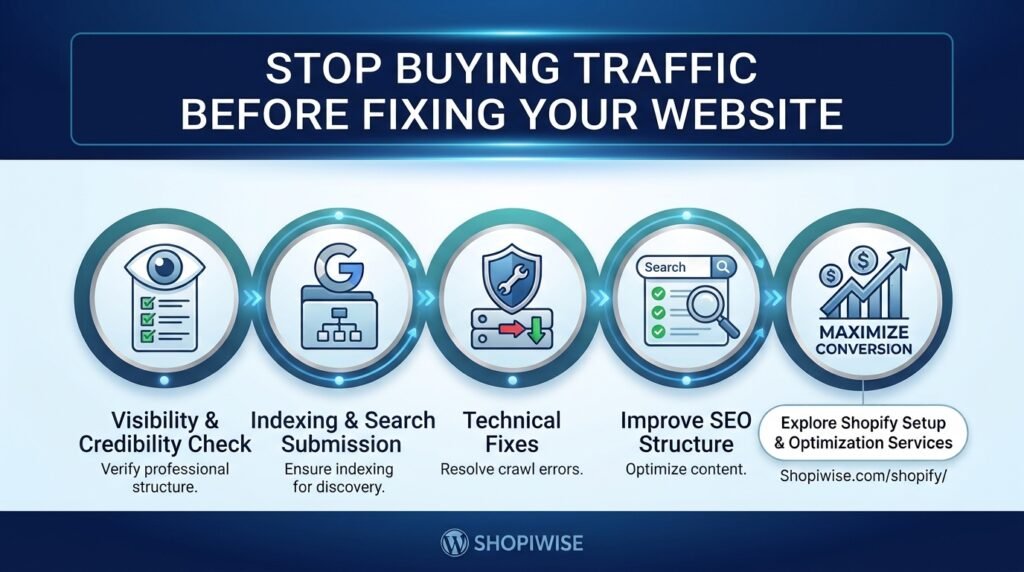
Stop Buying Traffic Before Fixing Your Website
If your Shopify store is getting visitors but not enough orders, spending more on advertising may not be the first move. More traffic can create more opportunities, but it can also send more people into a buying experience that is slow, confusing, unconvincing, or difficult to use.
Before increasing your ad budget, make sure your website gives the right visitors a clear reason to trust your business and an easy path to purchase. This does not mean your store must be perfect before you market it. It means you should identify and address the most serious barriers first.
Why more traffic is not always the answer
Illustration: traffic creates opportunity, while a clear and trustworthy store helps visitors move toward purchase.
Traffic and conversion are different parts of the same process. A campaign may attract people who are curious rather than ready to buy. Alternatively, visitors may have genuine purchase intent but leave because they cannot quickly understand the offer, find the right product, calculate delivery costs, or feel confident about payment and returns.
Think of your store as a shop on a busy street. Bringing more people to the door does not help much if the entrance is confusing, the products are hard to compare, or customers cannot find the checkout. Improve the experience before paying to bring a larger crowd.
Start by separating two questions: Are the right people arriving, and can those people complete the purchase easily? Your analytics and customer feedback can help you answer both.
1. Find where shoppers drop off
Illustration: track the journey from visit to product view, cart, checkout, and purchase.
Do not rely on total sessions alone. Review the steps customers take after landing on your website. For an ecommerce store, a useful journey to inspect is:
- Landing page or session
- Product page view
- Add to cart
- Begin checkout
- Completed purchase
Use Shopify reports and, where configured, Google Analytics 4 ecommerce and purchase-journey reports to look for unusually large drop-offs. Segment the results by device, traffic source, landing page, and product when the available data supports it. A problem affecting mobile visitors from one campaign may be hidden by your overall average.
Check tracking before making decisions. Missing or incorrectly configured events can make a funnel appear healthier or worse than it really is. Use a consistent date range and compare like with like.
2. Audit the website experience before scaling ads
Illustration: a practical store audit should cover mobile usability, product information, delivery clarity, and checkout.
Begin with a real customer journey on a phone and a desktop. Open a product page from the same type of link an ad or social post would use. Try to understand the product, choose a variant, add it to the cart, and proceed through checkout. Note every moment of uncertainty or friction.
Check speed and mobile usability
If key content appears slowly or buttons are hard to tap, customers may struggle before they even evaluate the product. Review your store’s performance reports, compress oversized images, remove unnecessary app scripts where safe, and test important pages on real mobile devices. Avoid deleting useful features just to chase a score; prioritize improvements that make the experience faster and easier.
Make product pages answer buying questions
Use clear product titles, helpful descriptions, sharp images, useful size or specification details, and visible pricing. Explain what makes the product suitable for the intended customer. If relevant, show dimensions, materials, compatibility, care instructions, or what is included. Do not make shoppers search through several pages for basic information.
Make trust and total cost clear
Display delivery expectations, shipping charges, return terms, contact information, and payment options where shoppers can find them. Use genuine reviews and accurate product claims. Unexpected costs or vague policies can create hesitation, especially for a new store that has not yet earned customer familiarity.
Reduce checkout friction
Check for broken buttons, confusing form fields, errors, unexpected account requirements, and unclear shipping or payment steps. Test the checkout process regularly, including common product variants and mobile layouts. Keep necessary information requests clear and proportionate.
3. Make sure the traffic matches the page
Illustration: align the ad promise with the exact product and information shown on the landing page.
Even a well-built website can struggle when the campaign attracts the wrong audience or promises something the landing page does not deliver. Match the message in your ad, email, social post, or search result with the page visitors see next.
For example, if an ad promotes a specific pair of running shoes, send visitors to that product or a highly relevant collection—not a generic homepage where they must start over. Make sure the advertised price, offer, product availability, and delivery conditions are consistent with the landing page.
Review campaign targeting, search terms, creative, and landing-page performance together. Do not judge a campaign only by clicks or low cost per click. A cheaper visitor is not necessarily a more valuable visitor if the person has little interest in the product.
4. Fix the biggest problems first, then test
Illustration: prioritize a clear hypothesis, make one meaningful change, and measure the result.
You do not need to redesign the entire store at once. Create a short priority list based on customer impact, evidence, and effort. A broken checkout button deserves immediate attention; a small color preference usually does not.
- Fix critical technical issues and broken purchase steps first.
- Clarify product value, pricing, delivery, and returns.
- Improve the most important mobile and landing-page experience.
- Check that analytics and campaign tracking are working.
- Test one meaningful change at a time when possible, and record the outcome.
Write down the problem you expect to solve and the metric you will monitor. Depending on the change, that might be product-page engagement, add-to-cart rate, checkout completion, conversion rate, or revenue per session. Allow enough time and data for a useful comparison, and remember that other factors—such as seasonality, promotions, inventory, and traffic mix—can influence results.
Common mistakes to avoid
- Increasing ad spend before checking whether the store can turn existing visits into orders.
- Using total traffic as the only measure of marketing success.
- Changing several major elements at once, making results difficult to interpret.
- Ignoring mobile visitors or testing only the homepage.
- Adding more pop-ups and apps without checking their impact on speed and usability.
- Assuming every abandoned cart means the customer disliked the product; shipping costs, timing, comparison shopping, and technical issues may also matter.
Frequently asked questions
Should I stop all advertising until my website is perfect?
Not necessarily. Fix critical issues that prevent browsing or purchasing, then use a controlled budget while you continue improving. The right decision depends on your current performance, cash flow, and campaign goals.
What should I check first if visitors are not buying?
Start with tracking accuracy, traffic relevance, mobile usability, product-page clarity, total cost, trust information, and checkout functionality. Use funnel data to prioritize the step with the clearest evidence of friction.
How do I know whether the problem is traffic or the website?
Compare conversion and engagement across traffic sources, landing pages, devices, and products. If one source performs poorly while others perform normally, investigate its audience and promise. If several relevant sources struggle at the same website step, inspect that part of the experience.
Can website speed affect ecommerce performance?
Yes. Shopify notes that store performance can influence shopping experience, conversion, and discoverability. Measure real performance and prioritize changes that improve the experience instead of chasing a score in isolation.
Conclusion: earn more from the traffic you already have
Before you pay for more clicks, make sure your store is ready to welcome them. Understand where shoppers leave, improve the most important barriers, align campaign promises with landing pages, and measure the effect of each change. Once the buying journey is clearer and more reliable, you can make better-informed decisions about scaling traffic. https://shopiwise.com/ https://shopiwise.com/shopify/ https://shopiwise.com/about-us/