
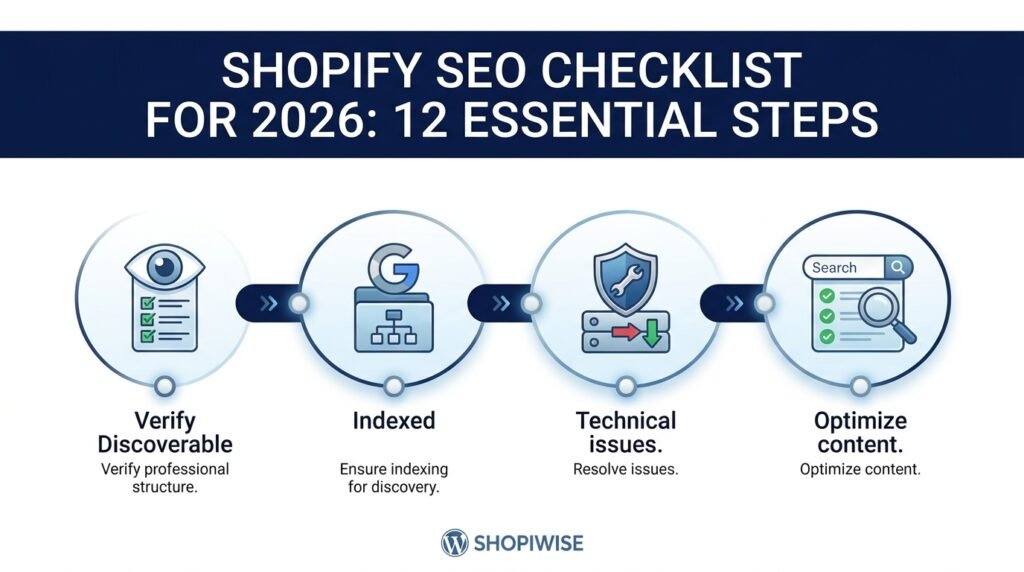
Shopify SEO Checklist for 2026
Search visibility is not something you set once and forget. Products change, collections grow, themes and apps are updated, and search engines continually reassess pages. A structured Shopify SEO checklist helps you focus on the foundations: making pages discoverable, explaining products clearly, improving the shopping experience, and checking performance with reliable data.
This guide is designed for Shopify store owners who want a practical review process for 2026. Shopify includes several SEO features automatically, but your content, site structure, technical setup, and ongoing maintenance still need attention. No checklist can guarantee rankings, but it can help you find and prioritize issues.
1. Confirm that Google can access your store
Begin with the basics. Make sure your live storefront is accessible and that important products, collections, pages, and blog posts are published to the Online Store channel. A page that is unpublished, unintentionally blocked, or difficult to reach may not appear in search as expected.
- Check that the storefront is not unintentionally password-protected.
- Set up and verify your domain in Google Search Console.
- Use URL Inspection to review a sample of important product, collection, and blog URLs.
- Review indexing reports for errors and excluded pages; investigate before making broad changes.
Remember: a published page is not automatically guaranteed to be indexed. Google decides which pages to crawl and include in results.
2. Submit and monitor your Shopify sitemap
Shopify automatically generates an XML sitemap, normally available at yourdomain.com/sitemap.xml. It includes URLs for important store content such as products, collections, pages, and blog posts. Submit the sitemap in Google Search Console to help Google discover those URLs, then monitor for errors.
- Open your sitemap URL and confirm it loads.
- Submit the sitemap in Search Console.
- Check that newly published priority pages are discoverable.
- Review Search Console reports when important pages remain unindexed.
Sitemap submission is a discovery aid, not a promise that every URL will be indexed or rank.
3. Match keywords to real customer intent
Keyword research should start with what shoppers want to know or buy. Broad phrases can be competitive and vague, while specific searches often reveal a clearer need. Choose terms that accurately describe your products and assign each important page a distinct purpose.
- List the product types, materials, use cases, and questions your customers mention.
- Use Google autocomplete and search-result pages to explore wording and intent.
- Review Search Console query data when available.
- Map a main topic to each key product, collection, or article.
- Avoid stuffing keywords or creating near-identical pages for minor wording changes.
Example: A collection selling waterproof hiking backpacks should help shoppers compare relevant backpacks. A blog post about choosing a hiking backpack can answer research questions and link to that collection.
4. Improve product titles and descriptions
Product pages need clear, specific information. Generic names and copied supplier descriptions make it harder for shoppers to understand differences between products. Original content also gives you an opportunity to answer questions that matter to your audience.
- Use an accurate product title that identifies the item and a meaningful attribute where appropriate.
- Write original descriptions covering benefits, materials, dimensions, compatibility, care, and use cases when relevant.
- Explain product variants clearly and keep stock, pricing, and specifications accurate.
- Use the main topic naturally in the title and body copy.
- Do not invent features or make claims you cannot substantiate.
5. Optimize collection pages and navigation
Collections help shoppers browse related products and can target category-level searches. Organize collections around how customers naturally shop, use descriptive labels, and make important pages easy to reach from menus and related content.
- Keep navigation simple and group related products logically.
- Add a short collection introduction when it helps customers understand the range.
- Link to relevant products, collections, and buying guides.
- Avoid creating multiple thin collections that serve essentially the same purpose.
6. Write unique SEO titles and meta descriptions
Shopify allows you to edit SEO titles and meta descriptions for products, collections, pages, and blog posts. Use these fields to summarize each page clearly. Google may generate a different title link or snippet depending on the search query, so treat metadata as guidance rather than a guarantee.
- Give important pages unique, accurate titles.
- Write concise descriptions that summarize the page and its value to a searcher.
- Avoid repetitive titles, keyword stuffing, and misleading offers.
- Review metadata when products, collections, or positioning change.
7. Optimize images and mobile experience
Product images help shoppers evaluate an item, but oversized files can slow pages. Mobile visitors should be able to navigate collections, choose variants, read product details, and add items to their carts comfortably.
- Resize and compress images while keeping product details clear.
- Write concise alt text for meaningful images; describe what is actually shown.
- Use descriptive file names when practical.
- Test navigation, filters, variant selectors, and product pages on a phone.
- Use Page Speed Insights to identify performance opportunities and prioritize real user impact.
8. Review apps, scripts, and technical changes
Shopify handles several technical SEO basics automatically, including sitemap generation and canonical tags. Still, theme edits, third-party apps, custom code, and migrations can introduce problems. More apps do not automatically mean better SEO.
- Remove unused apps only after checking their role in your store.
- Check for broken internal links and missing pages.
- When changing a URL, review whether a relevant 301 redirect is needed.
- Avoid editing robots.txt or theme code without understanding the effect.
- If you use multiple markets or languages, review the official Shopify guidance for international SEO and localized URLs.
9. Create helpful content and link it thoughtfully
A blog can attract people researching a problem before buying. Publish useful buying guides, comparisons, product care instructions, sizing advice, and answers to common customer questions. Every article should have a clear purpose and provide information beyond a generic product pitch.
Link relevant articles to matching products or collections using descriptive anchor text. Internal links help people navigate and give search engines context about related pages. Update older content when information changes, and avoid publishing thin posts only to target keywords.
10. Check trust and shopping information
Search visibility is only useful if visitors can confidently evaluate your store. Make your business and policies easy to understand. Ensure product information is accurate and consistent, and provide clear contact, shipping, returns, and privacy information appropriate to your business and market.
- Make contact information and customer support options easy to find.
- Keep shipping, returns, privacy, and terms pages current.
- Use secure HTTPS and avoid broken shopping journeys.
- Ensure product price and availability information is accurate.
11. Measure performance in Search Console and Shopify analytics
Use Google Search Console to monitor impressions, clicks, search queries, indexed pages, and technical reports. Use Shopify analytics to understand what visitors do after they arrive. Look for patterns rather than judging SEO by a single day or one keyword.
- Record a baseline for key pages and queries.
- Review pages that receive impressions but few clicks; check whether the title and page match the search intent.
- Investigate sudden changes in clicks or indexed pages.
- Prioritize fixes based on business importance, not just the number of warnings in a tool.
12. Set a repeatable SEO review routine
Use a simple schedule so important issues are not forgotten. Review Search Console and key landing pages monthly, and run a deeper check after a theme change, migration, major catalog update, or unexpected traffic drop. Keep a record of changes so you can evaluate their effects over time.
A practical priority order is: fix access or indexing problems first, improve the most important product and collection pages next, then work through content, performance, and smaller refinements.
Shopify SEO checklist: quick copy-and-use version
- Store is publicly accessible and priority products are published.
- Google Search Console is verified and sitemap is submitted.
- Important URLs have been inspected for indexing issues.
- Keyword targets match customer intent and page purpose.
- Product titles and descriptions are accurate and distinct.
- Collection structure and internal navigation are logical.
- SEO titles and meta descriptions are clear and unique where needed.
- Images are appropriately sized and meaningful images have useful alt text.
- Mobile shopping experience and page performance have been tested.
- Unused apps, broken links, redirects, and technical changes have been reviewed.
- Helpful blog content links to relevant products and collections.
- Contact and policy pages are current.
- Performance is reviewed regularly using Search Console and Shopify analytics.
Frequently asked questions
Does Shopify handle SEO automatically?
Shopify provides several SEO foundations automatically, including an XML sitemap, canonical tags, and secure hosting. Store owners still need to optimize content, navigation, metadata, images, and monitor indexing and performance.
How often should I run a Shopify SEO audit?
Review key metrics and important pages regularly, such as monthly. Run a deeper audit after a redesign, migration, major catalog change, or unexpected change in organic visibility.
Does every product need a different keyword?
Every product page should clearly describe its specific item, but closely related variants may share search intent. Focus on distinct, accurate information instead of forcing a different keyword onto every URL.
Can I guarantee first-page rankings with this checklist?
No. Search rankings depend on many factors and change over time. This checklist helps you address foundational issues, but no provider or checklist can guarantee a particular position or traffic level.
Is an SEO app required for Shopify?
Not for every store. Built-in Shopify features and free tools such as Google Search Console can support many essential tasks. Consider an app when it solves a specific, verified need.
Conclusion: Make SEO a routine, not a one-time task
A strong Shopify SEO process combines technical checks with useful content and a clear customer experience.https://shopiwise.com/blog-test/ Confirm that search engines can discover important pages, optimize product and collection information, improve images and mobile usability, and use Search Console to guide the next round of work. Revisit the checklist as your catalog and store change.https://shopiwise.com/
If you need help with Shopify store structure, product and collection setup, metadata, or on-page SEO, explore the Shopify optimization services from Shopiwise at https://shopiwise.com/. A careful, evidence-led approach can help you build a stronger search foundation without promising guaranteed rankings.https://shopiwise.com/shopify