
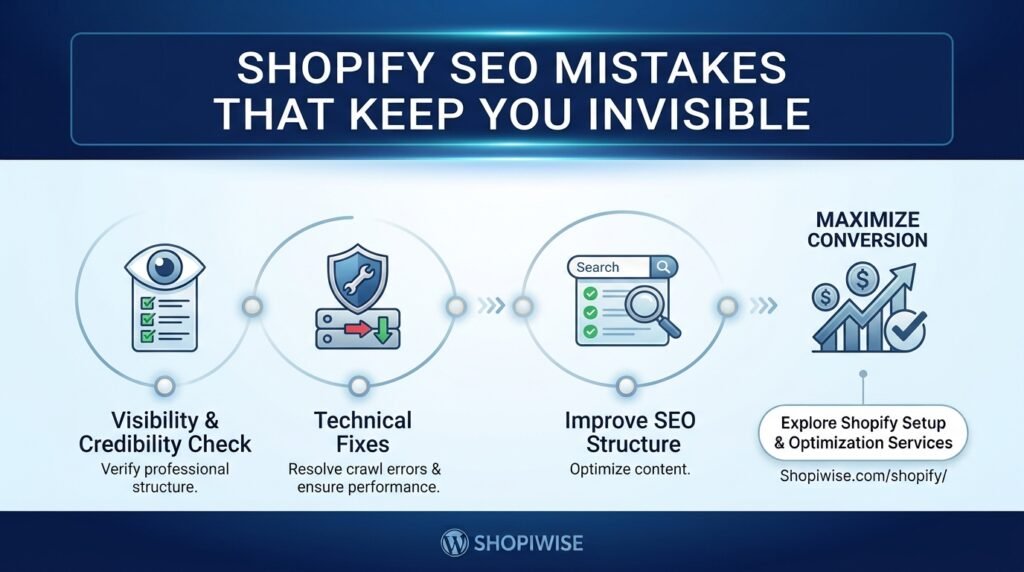
Shopify SEO Mistakes That Keep You Invisible
You have built your Shopify store, uploaded products, and polished the design—but customers still struggle to find it through Google. This can happen even when your products are excellent. Search visibility depends on whether search engines can discover, understand, and index your pages, as well as whether those pages are useful for the searches people make.
The good news is that many Shopify SEO problems are fixable. Before adding more apps or rewriting your entire store, review these common mistakes and work through the practical steps below.
1. Targeting keywords without understanding search intent
A keyword is useful only when it matches what the searcher wants. Someone searching “waterproof hiking backpack” may want to compare products, while someone searching “how to clean a hiking backpack” wants instructions. Sending both searches to the same generic collection page may not satisfy either visitor.
How to fix it:
- Choose one clear main topic for each important product, collection, or blog page.
- Review the wording and format of search results for your target query to understand what people expect.
- Use natural variations in headings, descriptions, and supporting copy instead of repeating the exact phrase unnaturally.
- Give each page a distinct purpose so several pages do not compete for the same intent.
Example: A collection page for “organic face moisturizers” should help shoppers compare relevant products. A blog post about “how to choose a face moisturizer” can answer the research question and link to that collection.
2. Using vague product titles and thin descriptions
Product pages need to explain what an item is, who it is for, and what makes it useful. Titles such as “Best Product” or descriptions copied directly from a supplier give search engines and customers little distinctive information. Similar wording across many products also makes comparison harder.
How to fix it:
- Write a concise, specific product title that includes the product type and a meaningful attribute where appropriate.
- Create original descriptions covering benefits, materials, sizing, compatibility, care, or use cases that genuinely apply.
- Answer likely buyer questions and make product variants clear.
- Use customer language naturally, but never add features or claims you cannot verify.
For example, replace “Travel Bottle” with a more descriptive title such as “Leak-Resistant Stainless Steel Travel Bottle, 750 ml” only if those details accurately describe the item.
3. Leaving title tags and meta descriptions on autopilot
Shopify provides fields for editing SEO titles and meta descriptions, but automatically generated text may not describe every page well. A vague or repetitive title can make it difficult for searchers to understand why a result is relevant. Google may also generate a different title link or snippet based on the page and query.
How to fix it:
- Give every important product, collection, and blog page a unique, accurate SEO title.
- Put the main topic near the beginning when it reads naturally and add your brand where useful.
- Write a concise meta description that summarizes the page and gives a truthful reason to click.
- Avoid keyword stuffing, exaggerated promises, and copying the same description across many URLs.
Treat metadata as a helpful summary, not a ranking shortcut. Its purpose is to describe the page clearly and help the right visitor decide whether to open it.
4. Ignoring image optimization and alt text
Product images are essential in ecommerce, but large image files can contribute to slow loading, and missing or unhelpful alt text can make images less understandable to people using assistive technology and to search engines. Alt text should describe the image in context—not function as a list of keywords.
How to fix it:
- Use clear, appropriately sized images and compress files without making product details difficult to see.
- Write concise alt text that describes meaningful visual information, such as the product type, color, or view shown.
- Leave decorative images with empty alt text where appropriate rather than forcing keywords into them.
- Use descriptive file names when practical and place images near relevant product information.
Example alt text: “Navy blue waterproof hiking backpack shown from the front.” Use this only if it accurately describes the image.
5. Creating confusing navigation and duplicate pages
A store with unclear collections, buried products, or inconsistent internal links is harder for shoppers to navigate. Ecommerce platforms can also expose similar product content through multiple URL paths or filters. Shopify automatically adds canonical tags in many standard cases, but store owners should still avoid creating unnecessary duplicate pages and should check important URLs.
How to fix it:
- Organize the store into logical collections and use descriptive navigation labels.
- Link relevant blog posts to useful collections and products, and link between related pages when it helps shoppers.
- Keep internal links pointed at the preferred URL version.
- When changing or removing a live URL, review whether a relevant 301 redirect is needed.
- Avoid creating near-identical pages just to target tiny keyword variations.
6. Assuming every page is indexed automatically
A page being published does not guarantee that Google has indexed it. Pages may be undiscovered, blocked, duplicated, or considered insufficiently useful for indexing. Shopify automatically generates an XML sitemap, usually available at yourdomain.com/sitemap.xml, but a sitemap is a discovery aid—not a guarantee of indexing or rankings.
How to fix it:
- Verify your domain in Google Search Console.
- Submit your Shopify sitemap and inspect important URLs with the URL Inspection tool.
- Review indexing reports and investigate recurring errors or excluded pages.
- Check that key products, collections, and blog posts are published and not unintentionally hidden from search engines.
- Make sure the page offers useful, distinct content and can be reached through relevant internal links.
Do not repeatedly request indexing as a substitute for fixing the underlying issue. Search engines control crawling and indexing decisions, and timing is not guaranteed.
7. Overlooking mobile experience and page performance
A visually attractive theme can still feel slow or awkward on a phone. Large media files, excessive app scripts, intrusive pop-ups, and complicated navigation may frustrate visitors. Performance is only one part of SEO, but it also affects the experience people have when they land on your store.
How to fix it:
- Test important pages on real mobile devices and check menus, filters, variant selectors, and add-to-cart buttons.
- Review performance using Google Page Speed Insights and prioritize issues that affect real users.
- Remove apps and scripts that are no longer needed, after confirming they do not support important functions.
- Resize and compress images and avoid loading unnecessary media above the fold.
- Keep product pages focused so shoppers can quickly understand the offer and next step.
8. Publishing content without a clear internal-link plan
Blogging can support an ecommerce SEO strategy, but a collection of disconnected articles may not help visitors discover relevant products. Useful content should answer real questions and guide readers to the next helpful page without forcing a sale.
How to fix it:
- Build content around customer questions, buying considerations, comparisons, and product care.
- Link from relevant articles to matching collections or products using descriptive anchor text.
- Add links from product or collection pages to useful guides where they help shoppers decide.
- Review older content periodically for accuracy, broken links, and opportunities to improve usefulness.
A guide about choosing a running belt, for example, could link to a relevant running accessories collection. The link should make sense to the reader, not exist merely to repeat a keyword.
A practical Shopify SEO audit checklist
- Each key page has a clear purpose and matches a real search intent.
- Product and collection titles are specific and descriptions are useful and accurate.
- SEO titles and meta descriptions are unique where needed.
- Images are appropriately sized and meaningful images have descriptive alt text.
- Navigation and internal links help users reach important pages.
- Changed or removed URLs have been checked for suitable redirects.
- Google Search Console is configured and sitemap/indexing issues are reviewed.
- Mobile usability and page performance have been tested.
- Content is original, current, and helpful rather than written only to include keywords.
Frequently asked questions
Why is my Shopify store not showing on Google?
Possible causes include a new or undiscovered site, indexing exclusions, technical access problems, weak or overlapping content, and limited relevance for the searches you target. Check Google Search Console and inspect important URLs before assuming there is one single cause.
Does Shopify automatically create a sitemap?
Yes. Shopify automatically generates an XML sitemap for your store. You can submit it through Google Search Console, then monitor whether important pages are being discovered and indexed.
Should every product page target a different keyword?
Each page should have a distinct purpose and accurately describe its product. Closely related variants may not need entirely separate keyword strategies; prioritize clarity, useful product details, and a sensible store structure.
How long does Shopify SEO take to work?
There is no universal timeline. Crawling, indexing, competition, site history, content quality, and other factors influence results. Track meaningful changes over time instead of expecting a guaranteed ranking date.
Do I need an SEO app to rank on Shopify?
Not necessarily. Shopify includes several SEO foundations, including sitemap generation and canonical tags. An app may help with a specific workflow, but it cannot replace useful content, good site structure, technical checks, and ongoing evaluation.
Conclusion: Fix the foundations before chasing shortcuts
Shopify SEO is not about repeating a keyword as often as possible or installing every optimization app available. Start by making pages useful and distinct, improving titles and descriptions, organizing navigation, optimizing images, checking indexing, and ensuring the store works well on mobile. Then monitor performance in Google Search Console and refine your approach based on what the data shows.
If you need help reviewing your Shopify store structure, product listings, metadata, or on-page SEO, explore the Shopify and digital marketing services from Shopiwise. shopiwise.com/digital-marketing/ Visit https:/shopiwise.com/ to learn more. No SEO provider can guarantee a particular ranking, but a careful, evidence-led process can help you identify issues and build a stronger foundation for organic For more official guidance, check out the Shopify Help Center. visibility.https://shopiwise.com/blog-test/