
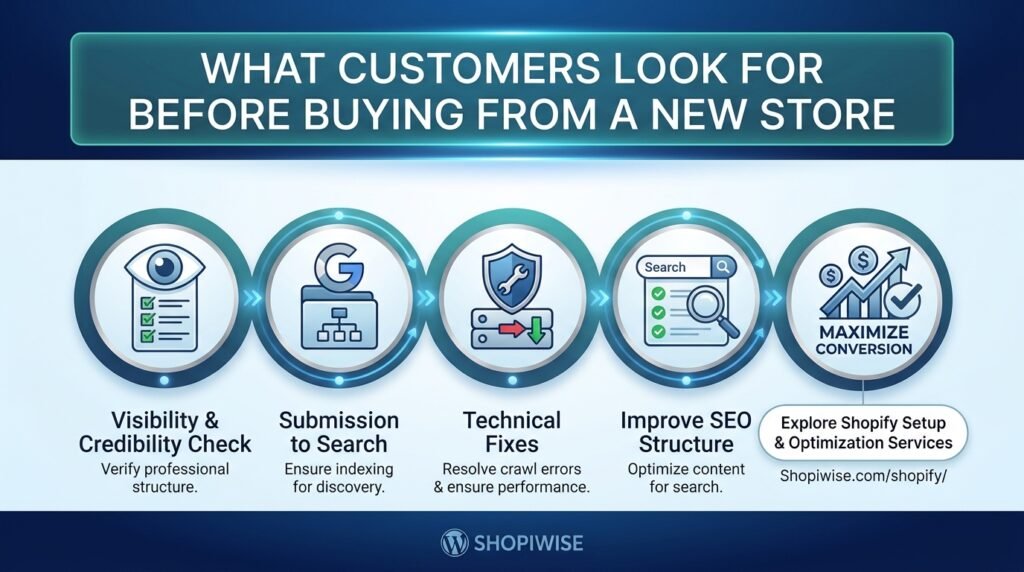
What Customers Look For Before Buying From a New Store
Getting visitors to your online store is only the first step. Before placing an order, a shopper who has never heard of your brand may wonder whether the product is as described, whether payment is safe, whether delivery will be reliable, and whether anyone will help if something goes wrong.
These questions are normal. Customers cannot physically inspect an item or speak to a salesperson in person, so they use the information on your website—and sometimes information elsewhere online—to judge whether they feel comfortable buying. For a new ecommerce business, the goal is not to look bigger than it is. The goal is to be clear, credible, and easy to deal with.
1. Clear Product Information That Answers Questions
A shopper should be able to understand what the product is, what it does, what it includes, and whether it fits their needs. Vague descriptions can create doubt, even when the product itself is excellent.
Make product pages useful by including:
- A specific product title and a plain-language description.
- Clear, accurate photos from useful angles; add video or detail images when they help explain the item.
- Relevant specifications such as dimensions, materials, compatibility, ingredients, sizing, or care instructions.
- What is included in the package and any limitations customers should know.
- Price, available variants, stock status, and any additional costs that can be stated upfront.
For example, a clothing store should provide a size guide and fabric details rather than relying on “premium quality” as the main description. An electronics store should explain compatibility and included accessories. Answering likely questions helps customers make an informed decision and may reduce avoidable confusion after purchase.
2. Genuine Customer Reviews and Social Proof
Reviews help shoppers learn from other people’s experiences. They can provide context about product fit, quality, delivery, packaging, and customer support—details that a brand’s own product copy may not cover.
If your store has reviews, display them where they are easy to find and make sure they are genuine, accurately represented, and relevant to the product. Where appropriate, show verified-purchase labels only when your system can support that claim. Do not write fake testimonials, buy fabricated reviews, or remove criticism simply because it is negative.
A new store may not have many reviews yet. That is not a reason to invent social proof. Instead, provide detailed product information, publish useful answers to common questions, make your contact details visible, and invite real customers to leave honest feedback after a purchase. You can also show authentic examples of your work or product use, with permission.
A YouGov survey published in January 2026 found that reviews and secure payment options were among the most common ways surveyed US adults checked unfamiliar online retailers. Treat that finding as a useful signal, not as a guarantee that every customer or market behaves the same way.
3. Visible Contact Details and a Real Business Identity
Customers may hesitate if they cannot work out who operates the store or how to get help. A professional online store should make it straightforward to contact the business and understand its identity.
Include the contact options your business actually monitors, such as a support email address, contact form, phone number, or business address where appropriate. Add an About page that explains what the business sells and how it serves customers. Keep business names, policies, and contact details consistent across your website and other official channels.
Do not publish a made-up address or imply that you have a physical shop, local team, or long trading history if you do not. Honest, accessible information is more useful than exaggerated claims.
4. Clear Shipping, Returns, and Refund Policies
Unexpected delivery charges, unclear timelines, and confusing return conditions can make customers pause or abandon an order. Explain the practical details before checkout, not only after a customer has paid.
Your shipping information should clarify where you deliver, estimated dispatch or delivery windows, shipping charges, and any important restrictions. If delivery estimates vary by destination, explain that. For international orders, state who may be responsible for import duties or taxes when relevant and legally appropriate.
Your returns and refunds policy should explain the return window, condition requirements, how to request a return, who pays return shipping, and how refunds are handled. Make sure the policy follows the consumer-protection rules that apply to your business and customers. Avoid broad promises such as “no questions asked” unless you genuinely honour them.
Clear policies do not eliminate every concern, but they help shoppers understand what to expect and how issues will be handled.
5. A Checkout That Feels Safe and Straightforward
At checkout, customers are being asked to share personal information and payment details. A confusing form, unexpected fee, unfamiliar payment process, or technical error can interrupt the purchase.
Help customers feel comfortable by:
- Using a properly configured HTTPS website and keeping your store, theme, and apps maintained.
- Offering payment methods that are genuinely available, supported, and appropriate for your target markets.
- Showing the order total, shipping cost, taxes, and other charges as clearly as possible before payment.
- Requesting only information needed to fulfil the order.
- Providing clear error messages and making it easy to correct a form field.
- Testing checkout on mobile and desktop, including common payment and delivery scenarios.
Avoid displaying security badges or payment logos that do not accurately describe your setup. A badge alone is not proof that a store is safe. Customers need a working, transparent checkout and a consistent experience from product page to order confirmation.
6. A Professional, Easy-to-Use Website
Customers often form an impression from the way a store works. Broken links, low-quality images, inconsistent formatting, intrusive pop-ups, and confusing navigation can make a business seem unreliable—even if the products are legitimate.
You do not need an elaborate design. Prioritize readable text, consistent branding, logical categories, functional search, clear buttons, and a mobile-friendly layout. Make it easy to return to a collection, view the cart, and find customer support. Compress images appropriately and review apps or scripts that may slow down the experience.
Test your site as a first-time visitor. Can you understand what the business sells within a few seconds? Can you find delivery and return information without hunting for it? Can you choose a product and complete a test order on a phone? These simple checks often reveal issues that are easy to miss when you know the site well.
7. Pricing and Promotions That Make Sense
Price is important, but customers also consider what they receive for the amount they pay. Explain what is included, show variant prices clearly, and disclose extra charges before the customer commits. If a discount is advertised, make sure the original price, terms, and end date are accurate where shown.
Avoid fake countdown timers, permanently repeated “limited-time” offers, or unsupported “best price” claims. These tactics can create pressure, but they can also undermine trust when shoppers notice that the information is misleading. A straightforward offer with clear terms is easier to evaluate.
8. Helpful Answers Before Customers Need to Ask
A short FAQ section can remove common obstacles. Choose questions based on what customers genuinely ask, rather than filling the page with generic content.
Depending on the store, useful questions may cover sizing, compatibility, ingredients, warranty, delivery estimates, tracking, returns, payment options, or how to contact support. Link to detailed policy pages where needed, and keep answers current. If customers repeatedly contact support about the same issue, consider making that information easier to find on the product page or in the checkout journey.
Common Mistakes That Reduce Customer Confidence
- Using copied or vague product descriptions that do not answer practical questions.
- Displaying fake reviews, unverified claims, or misleading security badges.
- Hiding shipping charges or important return conditions until late in checkout.
- Providing contact details that do not work or are never monitored.
- Making unsupported claims about delivery speed, product results, or business history.
- Ignoring mobile usability, broken links, and checkout errors.
- Using aggressive pop-ups or false urgency instead of helping customers make a decision.
Frequently Asked Questions
What is the most important trust signal for a new online store?
There is no single trust signal that works for every customer. Clear product information, genuine reviews when available, transparent policies, accessible contact details, and a reliable checkout work together to reduce uncertainty.
Can a new store build trust without customer reviews?
Yes. Do not fabricate reviews. Start with accurate product details and images, a clear About page, visible contact options, fair policies, and a smooth checkout. Invite customers to share honest feedback after real purchases.
Should shipping and return policies be visible on product pages?
Important information should be easy to find before checkout. A short summary or link near the product details can help, while the full policy page can explain the conditions in detail.
Do professional website design and branding matter?
They can help make a store easier to use and more consistent, but appearance alone does not establish trust. The information must be accurate, links must work, and the business must deliver on its promises.
How can I find out what is stopping customers from buying?
Review store analytics, product-page engagement, cart and checkout drop-offs, customer questions, support messages, and feedback. Test the buying journey on different devices. Use the evidence to prioritize improvements rather than assuming every visitor has the same concern.
Conclusion: Make It Easy for Customers to Feel Confident
Before buying from a new store, customers want to understand the product, know who they are buying from, see clear delivery and return terms, and feel comfortable with the payment process. They also notice whether the website is easy to use and whether its claims seem honest.
Start by reviewing your store from a first-time visitor’s perspective. Fix confusing product details, make policies and contact information easy to find, remove unsupported claims, and test checkout on mobile. Then monitor customer behavior and feedback to decide what to improve next.
If you need help reviewing your Shopify theme, product listings, store structure, or SEO, explore Shopiwise Shopify setup and optimization services. Visit Shopiwise.com to learn more about our ecommerce services.