
Upselling vs Cross-Selling: Which Should Your Store Use?
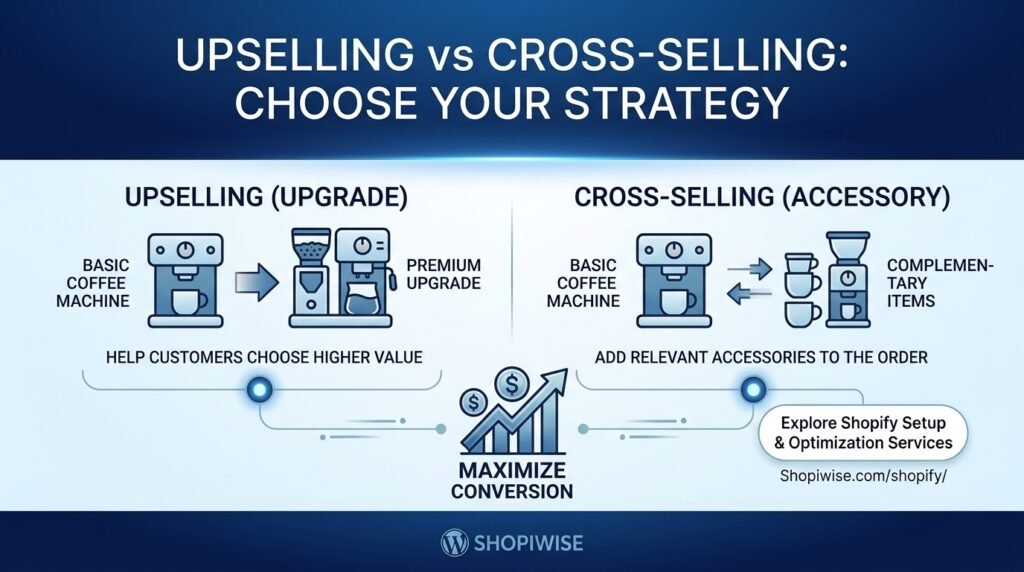
Upselling vs. Cross-Selling: Which One Should Your Store Use? If you run an online store, you have probably seen product suggestions such as “Upgrade to the Pro version” or “Complete your setup with these accessories.” These are examples of two common ecommerce techniques: upselling and cross-selling. Although the terms are sometimes used interchangeably, they serve different purposes. Upselling encourages a shopper to choose a higher-value version of a product they already want. Cross-selling recommends related items that complement the original purchase. Used thoughtfully, both can help customers discover useful options and help a store make more value from relevant orders. Neither guarantees higher sales, and poorly timed offers can distract shoppers or reduce confidence. What Is Upselling? Upselling is when a store presents a more advanced, larger, upgraded, or higher-priced option related to the product a customer is considering. The goal is to help the customer compare options and decide whether the additional features or benefits are worth the difference in price. Examples of upselling include: A customer views a basic coffee machine and sees a model with a built-in grinder and additional settings. A shopper selects a small pack of a product and is offered a larger pack at a clearly explained price difference. A software store presents a plan with more storage or features than the entry-level plan. A customer choosing a laptop can compare a model with more memory or storage. A useful upsell explains the benefit of the upgrade. “Choose 1 TB storage for larger project files” is more informative than simply labelling the more expensive model “Best.” Keep the original option available unless there is a genuine reason it cannot be purchased. What Is Cross-Selling? Cross-selling suggests an additional product that complements the item a customer is viewing or buying. The recommended item should make sense in context and ideally help the customer use, protect, maintain, or enjoy the original product. Examples of cross-selling include: Suggesting a protective case for a phone. Recommending matching pillow covers with a bedding set. Offering compatible ink cartridges with a printer. Showing a laptop sleeve or mouse alongside a laptop. Suggesting thread, stabilizer, or other genuinely relevant supplies with an embroidery product. Cross-selling is not the same as showing random popular products. Relevance matters. If the additional item does not suit the customer’s purchase, it can feel like clutter rather than helpful advice. Upselling vs. Cross-Selling: The Key Differences Aspect Upselling Cross-selling Main purpose Help choose a higher-value version Add a complementary item Typical example Upgrade to a model with more storage Add a compatible case Customer decision Which version should I buy? What else do I need? Best fit Products with meaningful tiers or upgrades Products with useful accessories or complements Potential risk Pushing an upgrade the customer does not need Adding irrelevant items or creating choice overload The simplest rule: upselling changes the version of the main purchase; cross-selling adds a related purchase. Which Strategy Should Your Shopify Store Use? The best starting point depends on your catalog, margins, customer needs, and buying journey—not on a universal rule that one tactic is always better. Use upselling when products have meaningful tiers Upselling may fit stores that sell products in multiple sizes, bundles, plans, feature levels, or configurations. Make the differences easy to compare and show the extra value clearly. If the higher-priced option does not solve a real customer need, do not force the upgrade. Use cross-selling when products naturally work together Cross-selling may fit stores with accessories, refills, compatible parts, matching items, or products commonly used together. Recommendations should be accurate—for example, verify compatibility before suggesting an accessory for a specific device. Use both when each offer serves a different purpose Many stores can use both techniques at different points. A shopper buying a camera might compare a higher-spec model (upsell) and then see a compatible memory card (cross-sell). Keep the journey simple: the customer should be able to understand the main choice without being overwhelmed by multiple offers. Where to Place Upsell and Cross-Sell Offers Placement should match the customer’s decision stage. Test one placement at a time and check that the offer does not obstruct the main purchase. Product page: Show a clear upgrade comparison or a small set of relevant complementary products. Cart: Suggest a genuinely useful add-on, while keeping the checkout action easy to find. Product bundle or collection: Help shoppers compare a complete set with individual items, explaining the value accurately. Post-purchase: Where your platform and payment flow support it, offer an appropriate additional item without creating confusion about the completed order or payment. On mobile, make sure recommendations do not push key product information or the checkout button too far down the page. Avoid aggressive pop-ups, repeated prompts, and preselected add-ons that customers might miss. How to Create Offers Customers Appreciate Start with customer needs. Identify what buyers commonly need, ask about, or compare before choosing a product. Keep recommendations relevant. Match accessories to the product and show only a manageable number of options. Explain the benefit. State what changes with an upgrade or why the add-on is useful. Be transparent about price. Show the price difference and any bundle savings accurately, with no hidden charges. Protect customer choice. Let shoppers decline the offer easily and continue with their original selection. Check the full experience. Test product pages, cart, mobile layouts, discounts, inventory, and checkout before publishing. For Shopify stores, the exact implementation depends on your theme, product catalog, and the apps or native features available in your setup. Review app permissions, cost, compatibility, and performance impact before installing a recommendation tool. Common Mistakes to Avoid Recommending products that are not compatible or do not complement the main item. Pushing a premium option without explaining its practical benefit. Showing too many offers at once, making the page harder to navigate. Using misleading “was/now” prices or unsubstantiated savings claims. Adding unwanted products automatically or making it difficult to decline. Ignoring stock levels, shipping implications, or product variants. Judging success only