ecommerce advertising

How to Retarget Shopify Visitors and Win Back Lost Sales (Step-by-Step Guide)
Digital Marketing

How to Retarget Shopify Visitors: A Step-by-Step Guide

How to Retarget Shopify Visitors (and Win Back Lost Sales) Most people who visit your Shopify store leave without buying. They browse, add something to the cart, get distracted, and never come back. That is normal, and it is exactly why retargeting exists. Retargeting means showing ads or messages to people who have already interacted with your store. Done well, it brings interested shoppers back at a lower cost than reaching strangers. This guide explains how to retarget Shopify visitors step by step, from tracking setup to audiences, creative and measurement.  How Do You Retarget Shopify Visitors? Install and verify your tracking, split visitors into behavior-based audiences, exclude people who already bought, show each group a message that matches what they did, limit how often they see your ads, and measure whether the campaign pays off. Pair paid ads with email for the best coverage. Step 1: Set Up Tracking and Respect Privacy Retargeting only works if your store records what visitors do. If you advertise on Facebook and Instagram, Shopify lets you manage this through the Facebook & Instagram sales channel. In your Shopify admin, open the channel, go to Settings, then Data sharing settings, and connect your Meta pixel. Shopify describes three data sharing levels. Standard relies on the browser-based pixel, which ad blockers can stop. Enhanced adds the Conversions API, which sends purchase data from the server, and shares customer details to help match shoppers on Facebook. Maximum includes everything in Enhanced plus Meta’s newest advertising features. The pixel can record page views, product views, searches, add-to-cart actions, checkout starts and purchases. Data sharing is optional, and you are responsible for explaining it in your privacy policy. Rules such as GDPR and CCPA may also require visitor consent, depending on where your customers live. This is general information and not legal advice, so check the rules for your markets. Step 2: Build Audiences Based on Behavior A visitor who abandoned a cart is far warmer than someone who glanced at your homepage. Treating them the same wastes money. Start with a few clear groups and expand later. Audience Who they are Message that fits Cart abandoners Added to cart but did not buy Show the exact product, answer doubts, offer free shipping or a small incentive Product viewers Looked at items but did not add to cart Reviews, benefits, bundles or answers to common questions General visitors Browsed the homepage or collections Broader, problem-focused content such as customer videos or best sellers Past customers Already bought Related products, restock reminders or loyalty offers   Step 3: Exclude People Who Already Bought Ad platforms charge for impressions, so showing a product ad to someone who just bought it burns budget and can annoy a happy customer. Exclude recent purchasers from campaigns promoting the same product. Then use a separate campaign to show buyers complementary products or restock reminders. Step 4: Match the Ad to the Shopper’s Stage Dynamic product ads show people the items they viewed, which suits cart abandoners and product viewers well. For cold browsers, lead with a benefit or a customer story instead of pushing a hard sale. Small incentives like free shipping can help convert warm shoppers, but use them sparingly so you do not train customers to wait for discounts. Step 5: Set Time Windows and Limit Frequency Timing matters. Shorter windows suit cart recovery because intent fades quickly. Longer windows work for restock reminders and follow-up offers. One source suggests sequencing messages across roughly a month, starting helpful, adding urgency early, then scaling back spend as the chance of a sale drops. Treat that as a starting point and adjust to your own buying cycle. Also cap how often people see the same ad and refresh your creative every so often. Seeing one ad too many times leads to fatigue and annoyance. Step 6: Add Email Alongside Paid Ads Email does not depend on ad pixels, and it reaches people directly. An abandoned cart email sequence can run beside your ads. If your traffic is small, email may be the better place to start. One guide suggests paid retargeting needs about a thousand or more visitors a month to be meaningful. That is a rough rule of thumb from one source, not a fixed threshold. Step 7: Extend to Google and Other Channels Once the Facebook and Instagram basics work, consider remarketing on Google and other platforms. Follow the same principles: segment by behavior, exclude buyers, use relevant messages and watch frequency. Set up Google audiences inside Google Ads and check their current requirements before launching. Step 8: Measure and Test Review click-through rate, cost per click and spend regularly, but judge the campaign by cost per purchase and profit. Compare what it costs to win a customer with what that customer is worth over time. Test one change at a time, such as the offer, the creative or the time window, so you know what made the difference. A Simple Example Imagine a store selling handmade candles. The owner connects the Meta pixel and creates three audiences: cart abandoners from the last seven days, product viewers from the last fourteen days, and recent buyers. Cart abandoners see a dynamic ad with the candle they left behind and a free shipping message. Product viewers see customer reviews. Buyers are excluded from both and later see a refill reminder. The owner caps frequency, swaps creative every couple of weeks and watches cost per purchase. This is an illustrative scenario, not a real client result. Common Mistakes to Avoid Installing the pixel and treating retargeting as finished, with no audience segments or sequence. Using one generic ad for every type of visitor. Forgetting to exclude people who already purchased. Showing the same ad too often or for too long. Ignoring consent rules and privacy policy updates. Relying only on pixel data when tracking limits can hide some visitors, instead of also building an email list. Frequently Asked Questions What is retargeting in Shopify?
Complete Shopify Ads Audit Checklist and Step-by-Step Guide
Digital Marketing

Shopify Ads Audit: What to Check First (Step-by-Step Guide)

Shopify Ads Audit: What I’d Check First If your Shopify ads are not performing, the instinct is to change the ad. New image, new headline, new audience. But random changes make it hard to learn anything. A proper ads audit works the other way around. You check things in a sensible order, starting with the ones that could make every other number meaningless. This guide walks through what to check first in a Shopify ads audit, why that order matters, and how to decide which problems to fix now and which can wait. What Should You Check First? Check your tracking first, because bad data ruins every later conclusion. Then look at your store and landing pages, your profit margins, your campaign structure, your audiences, your budget and bidding, your creative, and finally your account health. Work from the foundation upward, and fix blocking problems before you tweak anything else. Step 1: Tracking and Measurement Audit guides consistently put tracking at the top. Confirm that your pixel is receiving the right events, that purchases are recorded with the correct values, and that server-side events, where used, are not double counting orders. Then compare purchases in the ad account with orders in Shopify. A large unexplained gap means you cannot trust the reports yet. Step 2: Store and Landing Pages Test the exact pages your ads send people to, on a real phone. Can a new visitor tell what you sell within seconds? Do pages load quickly? Are shipping times, returns and sizing easy to find? Place test orders to check the cart, discounts and checkout. A broken checkout or slow page is a blocking issue that no ad change can fix. Step 3: Profit and Economics A campaign can look healthy on revenue and still lose money. Work out whether realistic orders stay profitable after product cost, shipping, discounts, returns and ad spend. Compare results with your own break-even point instead of generic benchmarks. If the math does not work, optimizing the ads will not rescue it. Step 4: Campaign Structure Check that campaigns have clear names and that each objective and optimization event matches your goal. Look for structures split so finely that each ad set gets too little data to learn from. On the other hand, ad sets that are too broad can hide what is actually working. Aim for a clean setup you can read at a glance. Step 5: Audiences and Targeting Confirm the ads reach the countries and languages you actually sell to. Check that existing customers are excluded from prospecting campaigns, that retargeting audiences are built from good sources, and that ad sets are not overlapping so the same people see your ads repeatedly. Step 6: Budget and Bidding Check that your bid strategy matches your objective and that each ad set can realistically generate enough conversions to learn. Frequent edits and thinly spread budgets can hold back delivery. Treat any budget increase as a separate decision, made only after the foundations above are sound. Step 7: Creative and Fatigue Look at whether you have enough variety so performance does not depend on one or two ads. Watch frequency, cost trends and conversion rates together to spot fatigue, rather than relying on a single fixed number. Keep a regular testing routine and check that every ad link works and carries consistent tracking tags. Step 8: Compliance and Account Health Finally, review ad rejections, policy warnings and any account restrictions. Make sure your landing pages stay consistent with what the ads claim, and that payment and business verification are in order. Problems here can limit delivery no matter how good the ads are. How to Prioritize What You Find You will probably find more issues than you can fix at once. Sort each finding into one of three groups so you act on the right things first. Group Meaning Examples Blocking issue Fix before spending more Broken checkout, unreliable tracking, policy restriction Needs work Fix soon, it is costing you results Slow mobile page, overlapping audiences, thin creative variety Pass Working well, leave alone Clean structure, accurate purchase tracking   Make one meaningful change at a time where possible, then wait long enough to judge the effect before changing something else. A Simple Example Imagine a store selling reusable water bottles. The owner audits in order. Tracking shows ad account purchases are about twice what Shopify records, caused by duplicated events. The landing page loads slowly on mobile, and the best-selling color is out of stock. After fixing tracking and the page, the owner sees the real numbers and finds the campaign was less profitable than it looked, so they adjust pricing before spending more. This is an illustrative scenario, not a real client result. Common Mistakes to Avoid Changing ads before checking whether tracking is accurate. Judging performance by revenue alone without checking margin. Sending paid traffic to pages nobody has tested on mobile. Fixing everything at once so nothing can be measured. Comparing results with generic benchmarks instead of your own break-even point. Scaling the budget before blocking issues are cleared. Frequently Asked Questions What is a Shopify ads audit? It is a structured review of your ad accounts and store to find what is limiting performance, covering tracking, structure, audiences, budget, creative and store readiness. How often should I audit my ads? There is no fixed rule. Many advertisers review regularly and run a deeper audit when results change suddenly or before increasing spend. Choose a rhythm that suits your budget and pace. Should I audit the ads or the store first? Start with tracking, then the store and landing pages. If the page or measurement is broken, ad changes will not help. Can I do an ads audit myself? Yes, using the checklist above. If the account is large or the numbers are confusing, an outside review can save time. Conclusion A good audit saves you from guessing. Start with tracking, confirm the store and economics work, then move through

what to fix before scaling your ad budget
Digital Marketing

Before scaling ad budget: What to fix first to protect your ROI

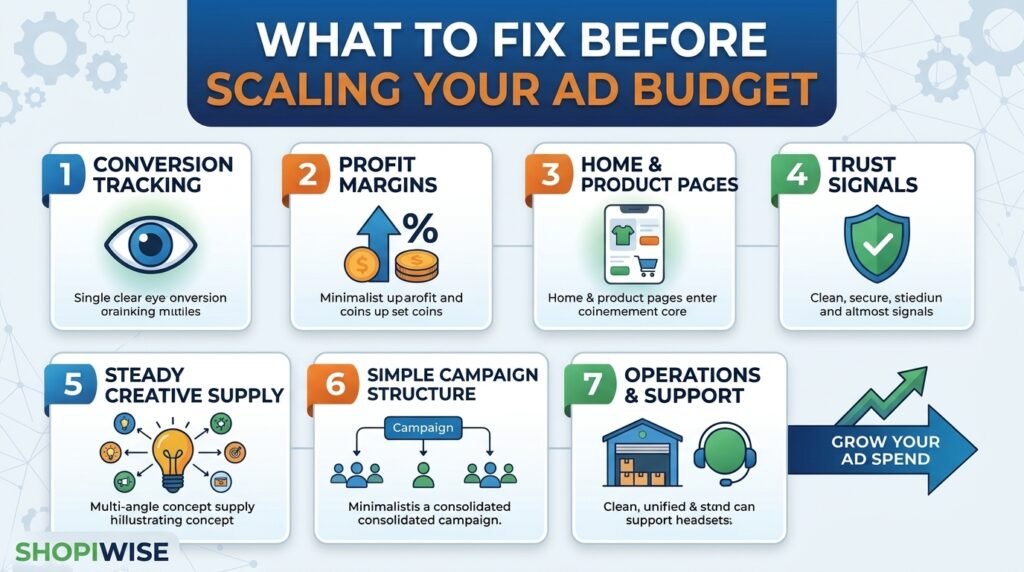
What to Fix Before Scaling Your Ad Budget Your ads are bringing in sales, so the next move feels obvious: spend more. But raising the budget does not fix problems. It makes them bigger. A leaky checkout, shaky tracking or thin profit margins can be easy to ignore at a small budget and expensive at a large one. This guide walks through what to fix before you scale your ad budget, how to check each area, and how to increase spend without panicking when results wobble. It is written for Shopify store owners and online sellers, and the ideas apply to Meta, TikTok and Google campaigns alike. What Should You Fix First? Before scaling, make sure your tracking is accurate, your profit survives ad costs, your store converts visitors well, you have fresh creative ready, your campaigns are simple enough to learn from, and your operations can handle more orders. Then raise the budget in controlled steps. Why Scaling Exposes Weak Spots At low spend, a small problem hides in the noise. A page that loses a few shoppers or a margin that is slightly too thin barely registers. At higher spend, you pay for every one of those losses at scale. Costs also tend to rise as you spend more, so doubling your budget will not necessarily double your results. That is why the smartest move is often to strengthen the foundation first. The checklist below covers the seven areas worth reviewing. The 7 Things to Fix Before You Scale 1. Conversion Tracking Ad platforms use your purchase data to decide who sees your ads. If that data is incomplete, the system is working with a blurry picture. Compare the purchases reported in your ad account with the orders in Shopify. Some guides recommend sending order data from the store backend as well, because browser-based tracking can miss sales. If the numbers are far apart, fix tracking before spending more. 2. Profit, Not Just Revenue A campaign can look great on return on ad spend and still lose money. Work out your margin after product cost, shipping, payment fees, returns and refunds. Then calculate the cost per purchase you can actually afford. Only scale products where the numbers still work with higher ad costs. 3. Homepage and Product Pages A shopper should understand what you sell within seconds. On product pages, answer the questions buyers usually have about sizing, materials, delivery and returns. Clear photos and plain language matter more than clever design. If many visitors leave without browsing, new traffic will not help. 4. Trust Signals Strangers arriving from an ad need reasons to trust you. Show genuine reviews, clear shipping and return policies, visible contact details and secure payment options. Never invent reviews or testimonials. They can mislead customers and break advertising rules. 5. A Steady Supply of Creative Ads wear out faster when more people see them. Before scaling, have several new angles ready, such as a problem-focused video, a customer-style demo and a benefit-led image. Testing different messages, not only different audiences, gives the platform more to work with. 6. Simple Campaign Structure Many small campaigns split your data into thin slices. Ad platforms generally learn better when conversions are concentrated in fewer, cleaner campaigns. Consolidate where it makes sense and avoid constant edits that restart learning. 7. Operations and Customer Support More orders mean more packing, shipping and customer questions. Check that you have enough stock, reliable suppliers, realistic delivery times and a support process that does not collapse under volume. A surge of late deliveries and refunds can cancel out your ad gains. Quick Pre-Scale Checklist Area What to check Warning sign Tracking Ad account purchases vs Shopify orders Large, unexplained gap Profit Margin after ad cost, fees and returns Break-even or negative at current cost per purchase Store Mobile speed, product pages, checkout Many visitors, few add-to-carts Trust Reviews, policies, contact details No visible policies or proof Creative New ads ready to test Only one or two ads running Structure Number of campaigns and ad sets Many tiny campaigns with few conversions Operations Stock, shipping, support capacity Slow replies or delivery delays already A Simple Example Imagine a store selling kitchen gadgets. One ad earns a good return, so the owner triples the budget. Sales rise at first, then costs climb and refunds increase. A review shows that tracking was counting some orders twice, the product page did not explain size clearly, and returns were eating the margin. After fixing tracking, updating the page and raising prices slightly, the owner scales again in smaller steps and the numbers hold. This is an illustrative scenario, not a real client result. How to Scale Once You Are Ready Advice on pacing varies. Older guidance suggested small increases of roughly five to twenty percent to avoid restarting the learning phase. Some experienced advertisers now say Meta handles budget increases more smoothly than it used to. Either way, costs usually rise at higher spend and results can change, so a measured approach is sensible. Scale proven ads first. Increase spend on campaigns that already perform well, not on weak ones. Raise the budget in steps. Make a moderate increase, then wait for results to settle before the next one. Watch the right numbers. Track cost per purchase, conversion volume and your real profit, not only return on ad spend, which can lag behind. Keep launching new creative. Add fresh ads while you scale, so you are not depending on one winner. Set a rollback rule. Decide in advance when you will lower the budget, for example if cost per purchase stays above your limit for several days. Common Mistakes to Avoid Doubling or tripling the budget overnight because one day looked great. Judging success by revenue and ignoring margin, refunds and shipping costs. Scaling before tracking has been checked against real orders. Constantly duplicating campaigns or tweaking audiences instead of fixing the store. Running out of stock or support capacity just as sales rise. Relying

shopify ads wasting money and how to fix them
Digital Marketing

Shopify ads wasting money: Why they fail and how to fix them

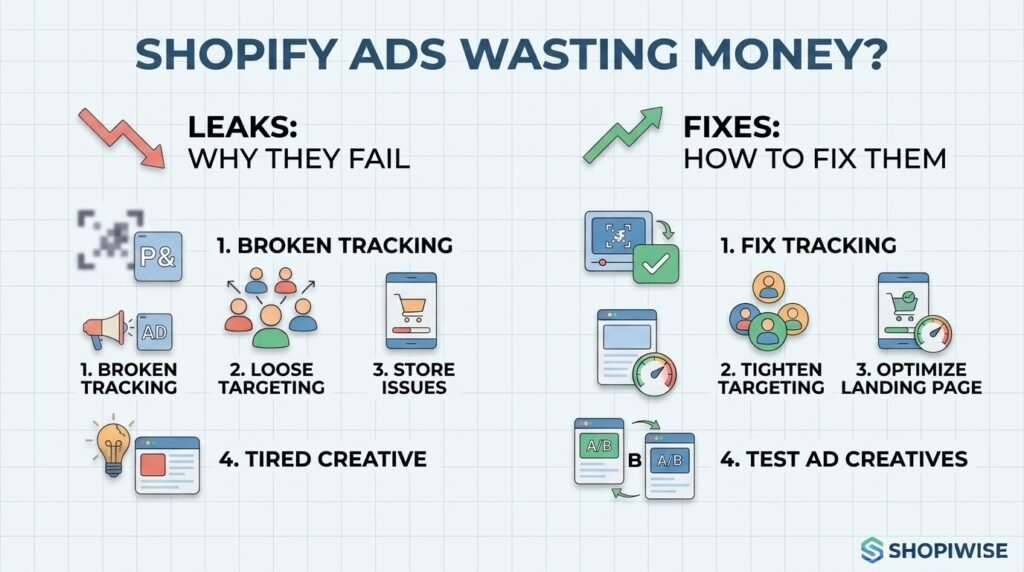
Why Your Shopify Ads Are Wasting Money (and How to Stop It) You are spending every day on ads, but the sales do not match the spend. Reports show clicks and impressions, yet profit is thin or missing. It is easy to blame the platform, but in most accounts the money leaks out through a handful of fixable problems. This guide covers the most common reasons Shopify ads waste money, including broken tracking, loose targeting, weak landing pages and tired creative, and gives you a practical routine to plug each leak. Why Do Shopify Ads Waste Money? Ad spend is usually wasted when tracking gives the platform poor signals, when targeting is too broad or overlaps, when you keep paying to reach people who already bought, when the campaign is optimized for the wrong action, when the page behind the ad does not convert, or when creative has gone stale. Add loose budget controls and no regular review, and the waste grows quietly. 1. Broken or Incomplete Tracking Ad platforms learn from the purchase data you send them. If the pixel is misconfigured or misses sales, the system optimizes on a blurry picture and spends accordingly. Shopify’s Facebook & Instagram channel offers data sharing levels, and the Enhanced level adds the Conversions API, which sends purchase data from the server. Compare purchases in your ad account with orders in Shopify. A large gap means fix tracking before changing anything else. 2. Targeting That Is Too Broad or Overlapping Ads shown to the wrong people cost just as much as ads shown to the right ones. Common leaks include targeting regions you do not ship to, running ad sets whose audiences overlap so they compete against each other, and expanding audiences without any exclusions. Use clear audience groups, check overlap, and build lookalikes from your best customers rather than all visitors. 3. Paying to Reach People Who Already Bought Recent buyers and people already receiving your email or SMS flows can still see your ads if you do not exclude them. You then pay for impressions that email could have handled more cheaply. Exclude recent purchasers, keep your lists updated and let your owned channels have the first chance with warm contacts. Consider a small holdout test to see how much your ads add on top of email. 4. Optimizing for the Wrong Objective If a campaign is set to maximize traffic, link clicks or engagement, the platform looks for people who click, not people who buy. Experienced advertiser Jon Loomer has warned that such campaigns often attract visitors who are far less likely to purchase. Where you have enough conversion data, test a sales or purchase objective instead. Boosting posts and chasing likes are other common ways money drains away. 5. Landing Page and Store Problems Even perfect ads waste money if the page behind them loses visitors. Check that the page matches the ad, loads quickly on mobile, makes shipping and returns clear, and shows genuine reviews and trust signals. Place a test order on your phone to catch checkout friction. Every second of delay and every missing answer costs you paid clicks. 6. Creative Fatigue and Weak Ads Ads that do not grab attention quickly, rely on generic images or talk only about features tend to underperform, and even strong ads wear out when the same people see them again and again. Watch frequency alongside cost and conversion trends. Test a few clearly different angles, such as the customer problem, a product demo or social proof, instead of many near-identical versions. 7. Messy Structure and Loose Budget Controls Too many small campaigns split your data and budget into thin slices. Campaigns left running with no conversions keep draining spend. One guide suggests pausing ad sets that produce nothing over about two weeks, and consolidating overlapping campaigns. Use cost caps or targets where they fit, check your placements, and avoid frequent edits that disrupt delivery. 8. Not Knowing Your Break-Even Point Some ads are not wasted because they fail, but because the numbers never worked. Work out your margin after product cost, shipping, payment fees and returns. Then calculate the cost per purchase you can afford. Without a break-even number, you cannot tell a winning campaign from a slow leak. How to Stop the Waste: A Weekly Review Check tracking. Compare ad account purchases with Shopify orders. Review spend by campaign. Find ad sets spending without conversions and pause or fix them. Check audiences. Look for overlap and make sure recent buyers are excluded. Check frequency and creative. Replace tired ads and test a new angle. Test your page. Visit it on mobile and place a test order if anything changed. Compare cost per purchase with your break-even. Adjust budgets only after the basics look sound. When you do raise budgets, one guide suggests increasing by about twenty percent at a time. That is one source’s suggestion, not a rule, so test what suits your account. A Simple Example Imagine a store selling pet grooming tools. A weekly review finds that purchases in the ad account are higher than Shopify orders because of duplicated events. Two ad sets also overlap, recent buyers are still being targeted, and the campaign is set to optimize for link clicks. After fixing tracking, excluding buyers, merging the ad sets and testing a purchase objective, the owner can finally see which ads actually earn money. This is an illustrative scenario, not a real client result. Common Mistakes to Avoid Raising the budget before fixing tracking and the store. Leaving recent customers in prospecting audiences. Optimizing for clicks or likes instead of purchases. Running many overlapping campaigns with thin data. Letting underperforming ads run for weeks without review. Judging success by revenue without knowing your break-even cost per purchase. Frequently Asked Questions How do I know if my Shopify ads are wasting money? Compare your cost per purchase with your break-even point, check for ad sets spending without conversions, and confirm that ad account

why winning ads stop converting and how to fix them
Digital Marketing

Why Your Winning Ad Suddenly Stops Converting

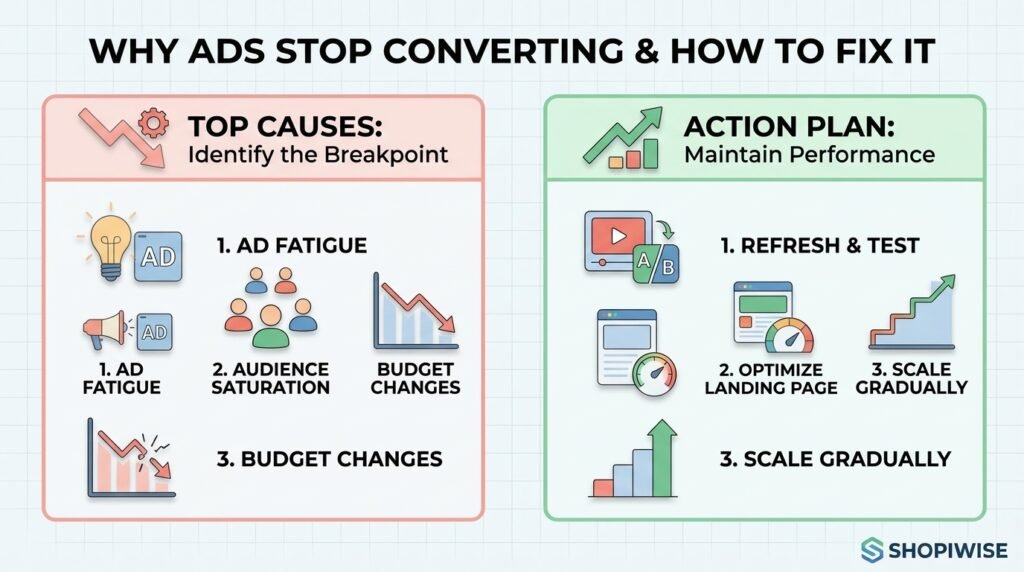
Why Your Winning Ad Suddenly Stops Converting (and How to Fix It) You finally find an ad that works. Sales come in at a healthy cost, so you raise the budget. Then, a week or two later, conversions fall off a cliff. Nothing obvious has changed in the campaign, yet the results look completely different. If you run ads for a Shopify store or any online shop, this is one of the most frustrating patterns in paid advertising. The good news is that a winning ad rarely stops working for a mysterious reason. In most cases it fades because of one of a handful of causes you can identify and test, and you can often recover performance without starting from zero. This guide explains why ads stop converting, how to tell which cause you are dealing with, and a practical plan to fix it and keep your results steadier over time. Why Do Winning Ads Stop Converting? Most winning ads stop converting because of creative fatigue, audience saturation, changes made while scaling, problems on the landing page or store, or shifts in the wider market. Often it is a mix of two or three. The key is to diagnose first, because the fix for each cause is different. The 5 Most Common Reasons a Winning Ad Stops Working 1. Creative Fatigue When the same people see the same ad again and again, they stop noticing it. Click-through rate slips, cost per result climbs, and a once-profitable ad drifts toward break-even. Marketing publications describe winning ads as something that usually decays gradually rather than failing overnight, and Shopify merchants on the Shopify Community forum describe ads that bring sales for the first few days and then fade. Creative fatigue is the most commonly blamed cause, but it is not the only one, so do not assume it before checking. 2. Audience Saturation and Overlap Sometimes the creative is fine and the audience is the problem. If your audience is small, or your retargeting and prospecting audiences overlap, the same people may see your ad far more often than you realize. One marketer writing about creative fatigue described an ad that looked burned out but recovered once audience overlap and spend pacing were corrected. It is a single account, not a rule, but it shows why a quick check of overlap and frequency is worth your time. 3. Changes Made While Scaling Scaling is where many winners die. Raising the budget sharply, changing countries, or editing the ad itself can all disrupt how the platform delivers it. Several Shopify merchants in community threads describe ads that worked at low spend but produced no sales once they were scaled. A learning period after big edits can also look exactly like fatigue, so check your change history before blaming the creative. 4. Landing Page or Store Problems Your ad may still be doing its job while the page behind it is not. Clicks stay steady but purchases drop. Common culprits include a slow mobile page, a product that went out of stock, a price or shipping change, a broken checkout step, an app conflict, or tracking that stopped recording purchases correctly. If the ad is still earning clicks, the store is the first place to look. 5. Market and Competition Shifts Ad costs are not fixed. Seasonality, new competitors, and busy shopping periods can push costs up even when your ad has not changed. If costs rise across all your campaigns at once, the cause is probably the auction rather than one tired creative. How to Diagnose the Real Cause Before you change anything, match what you see in your ad account to the most likely cause. Frequency alone is not proof of fatigue, so always look at more than one signal. What you see Likely cause First thing to check CTR falling and frequency rising on one ad Creative fatigue Daily CTR trend; test a fresh version of the creative Every ad in the ad set declining, with a small audience Audience saturation Audience size, overlap with other ad sets, frequency Drop right after a budget or targeting change Scaling or learning disruption Change history; compare performance before and after Clicks steady but purchases down Landing page, store or tracking Add-to-cart and checkout rates, page speed, stock, tracking Costs up across all campaigns Auction or market shift Other campaigns, seasonality, competitor activity Step-by-Step: How to Fix an Ad That Stopped Converting Pause before you edit. Review several days of data instead of reacting to one bad day. Changing five things at once makes it impossible to learn what worked. Find where the funnel breaks. Look at impressions, click-through rate, add-to-cart, checkout and purchases. The stage where numbers drop tells you whether the problem is the ad or the store. Test your own store. Place a test order on mobile, check page speed, confirm products are in stock, and make sure your purchase tracking still works. Review recent changes. List every budget, audience, creative or website change from the past two weeks and compare them with the date performance dropped. Refresh the creative, not just the copy. Try a new opening hook, a new angle (problem, benefit, social proof), or a new format such as a short demo, user-generated style video, or carousel. Keep the core offer that was working. Duplicate instead of editing the winner. Clone the ad and test one variable at a time so the original stays intact as a benchmark. Rework the audience. Broaden a tiny audience, exclude recent purchasers, and reduce overlap between ad sets so the same people are not being reached repeatedly. Scale in smaller steps. Increase budgets gradually and give each change time to settle before making the next one. Set your decision rules in advance. Decide how many days and how much spend you need before calling an ad dead, so you do not kill good ads too early. A Simple Example Imagine a store selling pet accessories. A video ad performs well for

Scroll to Top