
Meta ads

Complete Shopify Ads Audit Checklist and Step-by-Step Guide
Digital Marketing

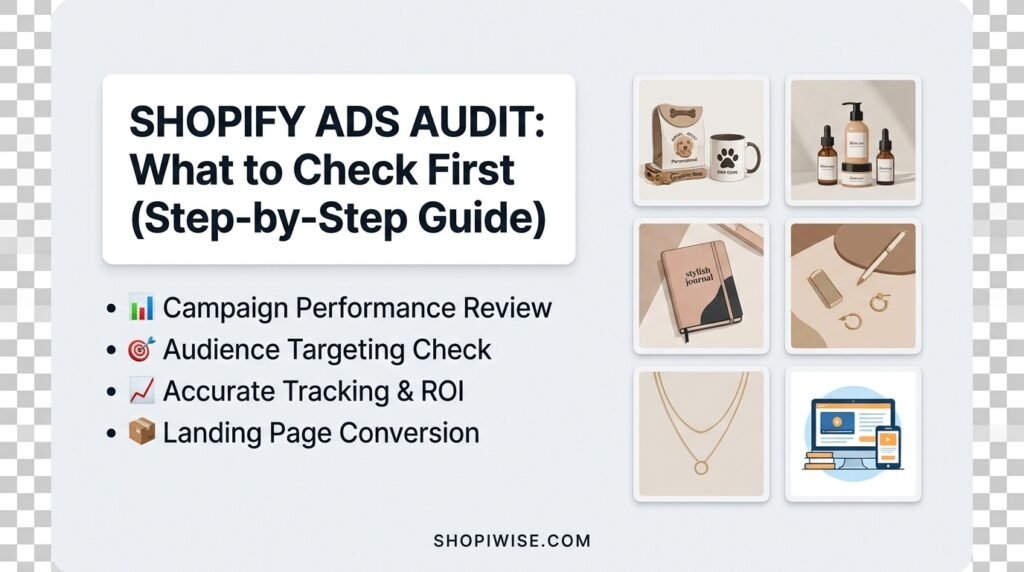
Shopify Ads Audit: What to Check First (Step-by-Step Guide)

Shopify Ads Audit: What I’d Check First If your Shopify ads are not performing, the instinct is to change the ad. New image, new headline, new audience. But random changes make it hard to learn anything. A proper ads audit works the other way around. You check things in a sensible order, starting with the ones that could make every other number meaningless. This guide walks through what to check first in a Shopify ads audit, why that order matters, and how to decide which problems to fix now and which can wait. What Should You Check First? Check your tracking first, because bad data ruins every later conclusion. Then look at your store and landing pages, your profit margins, your campaign structure, your audiences, your budget and bidding, your creative, and finally your account health. Work from the foundation upward, and fix blocking problems before you tweak anything else. Step 1: Tracking and Measurement Audit guides consistently put tracking at the top. Confirm that your pixel is receiving the right events, that purchases are recorded with the correct values, and that server-side events, where used, are not double counting orders. Then compare purchases in the ad account with orders in Shopify. A large unexplained gap means you cannot trust the reports yet. Step 2: Store and Landing Pages Test the exact pages your ads send people to, on a real phone. Can a new visitor tell what you sell within seconds? Do pages load quickly? Are shipping times, returns and sizing easy to find? Place test orders to check the cart, discounts and checkout. A broken checkout or slow page is a blocking issue that no ad change can fix. Step 3: Profit and Economics A campaign can look healthy on revenue and still lose money. Work out whether realistic orders stay profitable after product cost, shipping, discounts, returns and ad spend. Compare results with your own break-even point instead of generic benchmarks. If the math does not work, optimizing the ads will not rescue it. Step 4: Campaign Structure Check that campaigns have clear names and that each objective and optimization event matches your goal. Look for structures split so finely that each ad set gets too little data to learn from. On the other hand, ad sets that are too broad can hide what is actually working. Aim for a clean setup you can read at a glance. Step 5: Audiences and Targeting Confirm the ads reach the countries and languages you actually sell to. Check that existing customers are excluded from prospecting campaigns, that retargeting audiences are built from good sources, and that ad sets are not overlapping so the same people see your ads repeatedly. Step 6: Budget and Bidding Check that your bid strategy matches your objective and that each ad set can realistically generate enough conversions to learn. Frequent edits and thinly spread budgets can hold back delivery. Treat any budget increase as a separate decision, made only after the foundations above are sound. Step 7: Creative and Fatigue Look at whether you have enough variety so performance does not depend on one or two ads. Watch frequency, cost trends and conversion rates together to spot fatigue, rather than relying on a single fixed number. Keep a regular testing routine and check that every ad link works and carries consistent tracking tags. Step 8: Compliance and Account Health Finally, review ad rejections, policy warnings and any account restrictions. Make sure your landing pages stay consistent with what the ads claim, and that payment and business verification are in order. Problems here can limit delivery no matter how good the ads are. How to Prioritize What You Find You will probably find more issues than you can fix at once. Sort each finding into one of three groups so you act on the right things first. Group Meaning Examples Blocking issue Fix before spending more Broken checkout, unreliable tracking, policy restriction Needs work Fix soon, it is costing you results Slow mobile page, overlapping audiences, thin creative variety Pass Working well, leave alone Clean structure, accurate purchase tracking   Make one meaningful change at a time where possible, then wait long enough to judge the effect before changing something else. A Simple Example Imagine a store selling reusable water bottles. The owner audits in order. Tracking shows ad account purchases are about twice what Shopify records, caused by duplicated events. The landing page loads slowly on mobile, and the best-selling color is out of stock. After fixing tracking and the page, the owner sees the real numbers and finds the campaign was less profitable than it looked, so they adjust pricing before spending more. This is an illustrative scenario, not a real client result. Common Mistakes to Avoid Changing ads before checking whether tracking is accurate. Judging performance by revenue alone without checking margin. Sending paid traffic to pages nobody has tested on mobile. Fixing everything at once so nothing can be measured. Comparing results with generic benchmarks instead of your own break-even point. Scaling the budget before blocking issues are cleared. Frequently Asked Questions What is a Shopify ads audit? It is a structured review of your ad accounts and store to find what is limiting performance, covering tracking, structure, audiences, budget, creative and store readiness. How often should I audit my ads? There is no fixed rule. Many advertisers review regularly and run a deeper audit when results change suddenly or before increasing spend. Choose a rhythm that suits your budget and pace. Should I audit the ads or the store first? Start with tracking, then the store and landing pages. If the page or measurement is broken, ad changes will not help. Can I do an ads audit myself? Yes, using the checklist above. If the account is large or the numbers are confusing, an outside review can save time. Conclusion A good audit saves you from guessing. Start with tracking, confirm the store and economics work, then move through
shopify ads wasting money and how to fix them
Digital Marketing

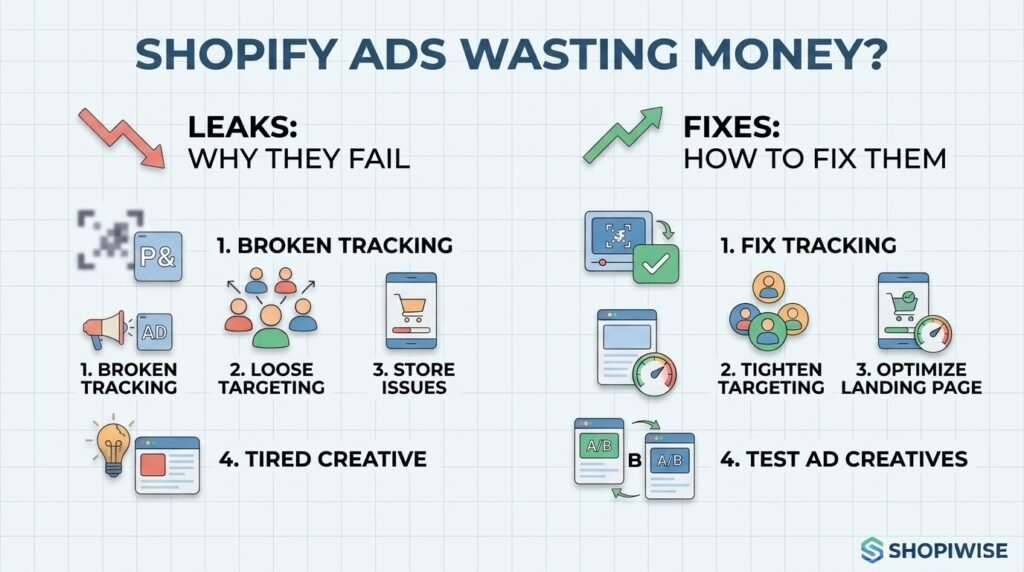
Shopify ads wasting money: Why they fail and how to fix them

Why Your Shopify Ads Are Wasting Money (and How to Stop It) You are spending every day on ads, but the sales do not match the spend. Reports show clicks and impressions, yet profit is thin or missing. It is easy to blame the platform, but in most accounts the money leaks out through a handful of fixable problems. This guide covers the most common reasons Shopify ads waste money, including broken tracking, loose targeting, weak landing pages and tired creative, and gives you a practical routine to plug each leak. Why Do Shopify Ads Waste Money? Ad spend is usually wasted when tracking gives the platform poor signals, when targeting is too broad or overlaps, when you keep paying to reach people who already bought, when the campaign is optimized for the wrong action, when the page behind the ad does not convert, or when creative has gone stale. Add loose budget controls and no regular review, and the waste grows quietly. 1. Broken or Incomplete Tracking Ad platforms learn from the purchase data you send them. If the pixel is misconfigured or misses sales, the system optimizes on a blurry picture and spends accordingly. Shopify’s Facebook & Instagram channel offers data sharing levels, and the Enhanced level adds the Conversions API, which sends purchase data from the server. Compare purchases in your ad account with orders in Shopify. A large gap means fix tracking before changing anything else. 2. Targeting That Is Too Broad or Overlapping Ads shown to the wrong people cost just as much as ads shown to the right ones. Common leaks include targeting regions you do not ship to, running ad sets whose audiences overlap so they compete against each other, and expanding audiences without any exclusions. Use clear audience groups, check overlap, and build lookalikes from your best customers rather than all visitors. 3. Paying to Reach People Who Already Bought Recent buyers and people already receiving your email or SMS flows can still see your ads if you do not exclude them. You then pay for impressions that email could have handled more cheaply. Exclude recent purchasers, keep your lists updated and let your owned channels have the first chance with warm contacts. Consider a small holdout test to see how much your ads add on top of email. 4. Optimizing for the Wrong Objective If a campaign is set to maximize traffic, link clicks or engagement, the platform looks for people who click, not people who buy. Experienced advertiser Jon Loomer has warned that such campaigns often attract visitors who are far less likely to purchase. Where you have enough conversion data, test a sales or purchase objective instead. Boosting posts and chasing likes are other common ways money drains away. 5. Landing Page and Store Problems Even perfect ads waste money if the page behind them loses visitors. Check that the page matches the ad, loads quickly on mobile, makes shipping and returns clear, and shows genuine reviews and trust signals. Place a test order on your phone to catch checkout friction. Every second of delay and every missing answer costs you paid clicks. 6. Creative Fatigue and Weak Ads Ads that do not grab attention quickly, rely on generic images or talk only about features tend to underperform, and even strong ads wear out when the same people see them again and again. Watch frequency alongside cost and conversion trends. Test a few clearly different angles, such as the customer problem, a product demo or social proof, instead of many near-identical versions. 7. Messy Structure and Loose Budget Controls Too many small campaigns split your data and budget into thin slices. Campaigns left running with no conversions keep draining spend. One guide suggests pausing ad sets that produce nothing over about two weeks, and consolidating overlapping campaigns. Use cost caps or targets where they fit, check your placements, and avoid frequent edits that disrupt delivery. 8. Not Knowing Your Break-Even Point Some ads are not wasted because they fail, but because the numbers never worked. Work out your margin after product cost, shipping, payment fees and returns. Then calculate the cost per purchase you can afford. Without a break-even number, you cannot tell a winning campaign from a slow leak. How to Stop the Waste: A Weekly Review Check tracking. Compare ad account purchases with Shopify orders. Review spend by campaign. Find ad sets spending without conversions and pause or fix them. Check audiences. Look for overlap and make sure recent buyers are excluded. Check frequency and creative. Replace tired ads and test a new angle. Test your page. Visit it on mobile and place a test order if anything changed. Compare cost per purchase with your break-even. Adjust budgets only after the basics look sound. When you do raise budgets, one guide suggests increasing by about twenty percent at a time. That is one source’s suggestion, not a rule, so test what suits your account. A Simple Example Imagine a store selling pet grooming tools. A weekly review finds that purchases in the ad account are higher than Shopify orders because of duplicated events. Two ad sets also overlap, recent buyers are still being targeted, and the campaign is set to optimize for link clicks. After fixing tracking, excluding buyers, merging the ad sets and testing a purchase objective, the owner can finally see which ads actually earn money. This is an illustrative scenario, not a real client result. Common Mistakes to Avoid Raising the budget before fixing tracking and the store. Leaving recent customers in prospecting audiences. Optimizing for clicks or likes instead of purchases. Running many overlapping campaigns with thin data. Letting underperforming ads run for weeks without review. Judging success by revenue without knowing your break-even cost per purchase. Frequently Asked Questions How do I know if my Shopify ads are wasting money? Compare your cost per purchase with your break-even point, check for ad sets spending without conversions, and confirm that ad account

Scroll to Top